
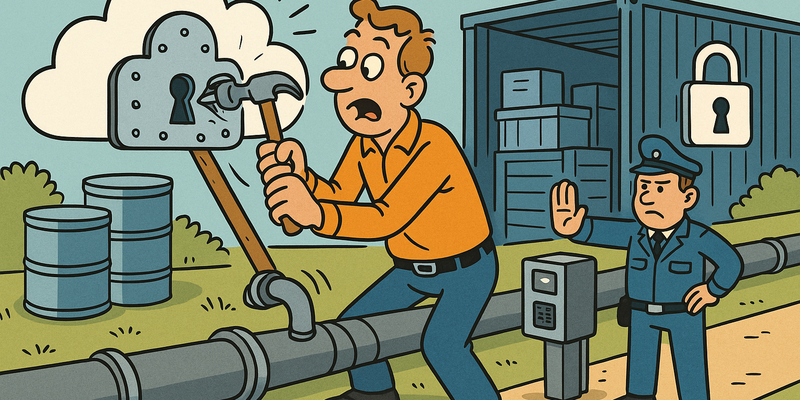
AWS Hardening
Cloud Fast, Cloud Tight
Cloud environments change rapidly. That's why security here must move along as a standard and automated practice.
For AWS Hardening, automation is leading: guardrails in code, least privilege and continuous drift detection.
This way you maintain speed in the cloud without security depending on manual luck.
Immediate measures (15 minutes)
Why this matters
The core of AWS Hardening is risk reduction in practice. Technical context supports the choice of measures, but implementation and embedding are central.
Defense measures: a coherent picture
The defense of an AWS environment rests on four pillars:
Service Control Policies (SCPs)
SCPs are the nuclear option of AWS security. They are applied at the account level in AWS Organizations and override all other permissions. If an SCP prohibits something, nobody can do it -- not even the root user of the account.
// SCP: prevent CloudTrail from being disabled
{
    "Version": "2012-10-17",
    "Statement": [{
        "Effect": "Deny",
        "Action": [
            "cloudtrail:StopLogging",
            "cloudtrail:DeleteTrail"
        ],
        "Resource": "*"
    }]
}

// SCP: restrict activities to specific regions
{
    "Version": "2012-10-17",
    "Statement": [{
        "Effect": "Deny",
        "NotAction": [
            "iam:*",
            "sts:*",
            "s3:*",
            "cloudfront:*"
        ],
        "Resource": "*",
        "Condition": {
            "StringNotEquals": {
                "aws:RequestedRegion": [
                    "eu-west-1",
                    "eu-central-1"
                ]
            }
        }
    }]
}
Permission Boundaries
Permission Boundaries are IAM policies that set a ceiling on the
rights a user or role can have. Even if a user has
AdministratorAccess, the Permission Boundary limits
what they can actually do.
// Permission Boundary: maximum S3 and Lambda
{
    "Version": "2012-10-17",
    "Statement": [{
        "Effect": "Allow",
        "Action": [
            "s3:*",
            "lambda:*",
            "logs:*"
        ],
        "Resource": "*"
    }]
}
// Even with AdministratorAccess, this user cannot use EC2, IAM, etc.
IMDSv2 enforcement
# Force IMDSv2 for all new EC2 instances
aws ec2 modify-instance-metadata-options \
    --instance-id i-0abcdef1234567890 \
    --http-tokens required \
    --http-put-response-hop-limit 1
# http-tokens required = IMDSv2 only
# http-put-response-hop-limit 1 = blocks container-to-metadata requests
GuardDuty and monitoring
# Enable GuardDuty in all regions
for region in $(aws ec2 describe-regions --query 'Regions[].RegionName' --output text); do
    aws guardduty create-detector --enable --region "$region" 2>/dev/null
    echo "GuardDuty enabled in $region"
done
The uncomfortable truth about AWS security
AWS provides all the tools you need to build a secure environment. SCPs, Permission Boundaries, IMDSv2, GuardDuty, CloudTrail, Config Rules, Access Analyzer, IAM Access Advisor -- the arsenal is impressive. The problem is not the tools. The problem is the craftsman.
The average AWS environment doesn't suffer from a lack of
security options. It suffers from a lack of discipline. Someone
attached AdministratorAccess to a
development user "because it wouldn't work otherwise." Someone left IMDSv1
enabled "because the application needed it." Someone made an S3
bucket public "for testing" and never
reverted it.
The pattern is always the same. The technology is there. The policy is there. The procedure is there. But the human tendency to take the easiest path wins over the security policy every time.
The only defense that truly works is automation. Not policy on paper, but policy in code. SCPs that prevent CloudTrail from being disabled. AWS Config rules that automatically detect when an S3 bucket becomes public. Permission Boundaries that prevent developers from escalating their own privileges.
Automate it. Because people forget. Code doesn't.
Reference table
| Technique | Tool/Command | Purpose | MITRE ATT&CK |
|---|---|---|---|
| Identity Discovery | aws sts get-caller-identity |
Identify current AWS identity | T1087.004 |
| IAM Permission Enum | enumerate-iam |
Discover all available API calls | T1087.004 |
| IAM User/Role Enum | aws iam list-users/roles |
Enumerate IAM entities | T1087.004 |
| IAM Policy Analysis | aws iam get-account-authorization-details |
Full IAM dump | T1087.004 |
| IAM Privesc Scan | Pacu iam__privesc_scan |
Identify privilege escalation paths | T1078.004 |
| CreatePolicyVersion | aws iam create-policy-version |
Modify policy content | T1098.003 |
| PassRole + Lambda | aws lambda create-function |
Privilege escalation via Lambda | T1078.004 |
| AssumeRole | aws sts assume-role |
Cross-account or role escalation | T1550.001 |
| S3 Public Bucket | aws s3 ls --no-sign-request |
Publicly accessible buckets | T1530 |
| S3 Object Download | aws s3 cp --no-sign-request |
Data exfiltration from open buckets | T1530 |
| EC2 IMDS Credentials | curl 169.254.169.254 |
IAM credentials via metadata service | T1552.005 |
| EC2 User-Data | curl .../user-data/ |
Credentials in startup scripts | T1552.005 |
| EBS Snapshot Access | aws ec2 describe-snapshots |
Data from public snapshots | T1530 |
| Lambda Env Vars | aws lambda get-function-configuration |
Credentials in environment variables | T1552.001 |
| Lambda Source Code | aws lambda get-function |
Download Lambda code for analysis | T1213.003 |
| Lambda Event Injection | Function URL | Command injection via event data | T1059 |
| Secrets Manager Enum | aws secretsmanager list-secrets |
Secrets enumeration and exfiltration | T1552.001 |
| Parameter Store Enum | aws ssm get-parameters-by-path |
Credentials in Parameter Store | T1552.001 |
| CloudTrail Evasion | Use unmonitored regions | Logging evasion | T1562.008 |
| Pacu Framework | pacu |
Automated AWS exploitation | -- |
| Cross-Account Abuse | sts:AssumeRole + trust policies |
Lateral movement between accounts | T1550.001 |
| Confused Deputy | Missing ExternalId | Cross-account trust abuse | T1199 |
Next chapter: Chapter 4 -- Azure Attacks
Further reading in the knowledge base
These articles in the portal provide more background and practical context:
- The cloud — someone else's computer, your responsibility
- Containers and Docker — what it is and why you need to secure it
- Encryption — the art of making things unreadable
- Least Privilege — give people only what they need
You need an account to access the knowledge base. Log in or register.
Related security measures
These articles provide additional context and depth:

