
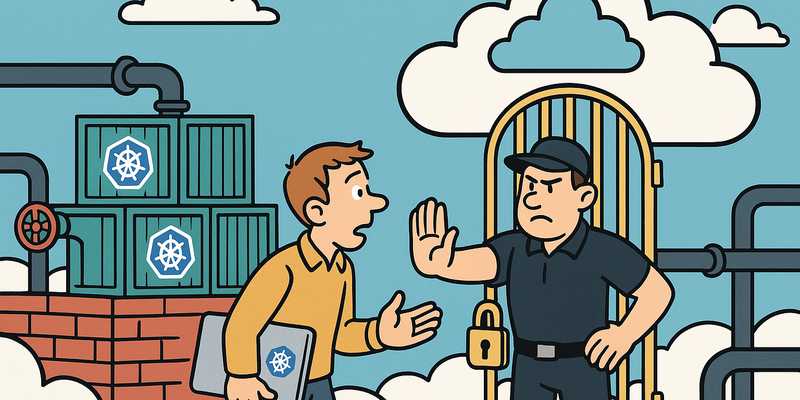
Kubernetes Hardening
Cloud Fast, Cloud Tight
Cloud environments change rapidly. That's why security must move along by default and in an automated way.
For Kubernetes Hardening, automation is leading: guardrails in code, least privilege, and continuous drift control.
This way you maintain speed in the cloud, without security depending on manual luck.
Immediate measures (15 minutes)
Why this matters
The core of Kubernetes Hardening is risk reduction in practice. Technical context supports the choice of measures, but implementation and assurance are central.
RBAC (Role-Based Access Control)
Kubernetes without RBAC is like a building where every key fits every
lock. RBAC determines who can do what in the cluster. The problem: most
organizations configure RBAC with the subtlety of a sledgehammer --
cluster-admin for everyone, and done.
| Type | Scope | Usage |
|---|---|---|
| Role | Namespace-scoped | Access to resources within a specific namespace |
| ClusterRole | Cluster-wide | Access to cluster-wide resources (nodes, PVs) or reusable across namespaces |
| RoleBinding | Namespace-scoped | Links a Role/ClusterRole to a subject within a namespace |
| ClusterRoleBinding | Cluster-wide | Links a ClusterRole to a subject for the entire cluster |
Rule of thumb: use Role and RoleBinding unless you explicitly need cluster-wide access.
# What can the current user do?
kubectl auth can-i --list

# What can a specific service account do?
kubectl auth can-i --list --as=system:serviceaccount:default:my-app

# All ClusterRoleBindings with cluster-admin
kubectl get clusterrolebindings -o json | \
  jq '.items[] | select(.roleRef.name=="cluster-admin") |
    {name: .metadata.name, subjects: .subjects}'
# Restrictive Role + RoleBinding
apiVersion: rbac.authorization.k8s.io/v1
kind: Role
metadata:
namespace: production
name: pod-reader
rules:
- apiGroups: [""]
resources: ["pods", "pods/log"]
verbs: ["get", "list", "watch"]
---
apiVersion: rbac.authorization.k8s.io/v1
kind: RoleBinding
metadata:
name: read-pods-production
namespace: production
subjects:
- kind: Group
name: "developers"
apiGroup: rbac.authorization.k8s.io
roleRef:
kind: Role
name: pod-reader
apiGroup: rbac.authorization.k8s.ioCommon RBAC mistakes
| Mistake | Risk | Solution |
|---|---|---|
Wildcard verbs ("*") |
Full control including delete | Specify exactly which verbs are needed |
Wildcard resources ("*") |
Access to secrets, configmaps, everything | Specify exactly which resources |
cluster-admin for service accounts |
Container compromise = cluster compromise | Minimal ClusterRole per application |
| Using default service account | Every pod in the namespace shares the same permissions | Dedicated service account per application |
No automountServiceAccountToken: false |
Token automatically in every pod | Set to false unless the pod needs the API |
Pod Security Standards
Pod Security Standards (PSS) replace the deprecated PodSecurityPolicies. Enforcement via Pod Security Admission (PSA).
| Level | What it allows | When to use |
|---|---|---|
| Privileged | Everything -- no restrictions | System components (kube-system) |
| Baseline | Blocks known privilege escalations | General workloads |
| Restricted | Maximum lockdown | Production workloads |
# PSA labels on namespace
apiVersion: v1
kind: Namespace
metadata:
  name: production
  labels:
    pod-security.kubernetes.io/enforce: restricted
    pod-security.kubernetes.io/enforce-version: latest
    pod-security.kubernetes.io/audit: restricted
    pod-security.kubernetes.io/warn: restricted
SecurityContext: the right settings
apiVersion: v1
kind: Pod
metadata:
  name: hardened-app
  namespace: production
spec:
  automountServiceAccountToken: false
  securityContext:
    runAsNonRoot: true
    runAsUser: 1000
    fsGroup: 1000
    seccompProfile:
      type: RuntimeDefault
  containers:
  - name: app
    image: registry.company.nl/app:1.4.2@sha256:abc123...
    securityContext:
      allowPrivilegeEscalation: false
      readOnlyRootFilesystem: true
      capabilities:
        drop: ["ALL"]
    resources:
      limits:
        memory: "256Mi"
        cpu: "500m"
    volumeMounts:
    - name: tmp
      mountPath: /tmp
  volumes:
  - name: tmp
emptyDir: {}| Setting | Why |
|---|---|
runAsNonRoot: true |
Prevents the container from running as root |
readOnlyRootFilesystem: true |
No write access to container filesystem |
allowPrivilegeEscalation: false |
Blocks setuid/setgid and ptrace escalation |
capabilities.drop: ALL |
Removes all Linux capabilities |
seccompProfile: RuntimeDefault |
Blocks dangerous syscalls |
Network Policies
Without Network Policies, every pod can talk to every other pod. That is the default behavior.
# Default deny: block ALL ingress and egress
apiVersion: networking.k8s.io/v1
kind: NetworkPolicy
metadata:
  name: default-deny-all
  namespace: production
spec:
  podSelector: {}
  policyTypes:
  - Ingress
  - Egress
---
# Allow: webapp may connect to the database
apiVersion: networking.k8s.io/v1
kind: NetworkPolicy
metadata:
  name: allow-webapp-to-db
  namespace: production
spec:
  podSelector:
    matchLabels:
      app: database
  ingress:
  - from:
    - podSelector:
        matchLabels:
          app: webapp
    ports:
    - protocol: TCP
      port: 5432
---
# Block cloud metadata service
apiVersion: networking.k8s.io/v1
kind: NetworkPolicy
metadata:
  name: deny-metadata-service
  namespace: production
spec:
  podSelector: {}
  policyTypes:
  - Egress
  egress:
  - to:
    - ipBlock:
        cidr: 0.0.0.0/0
        except:
- 169.254.169.254/32| CNI Plugin | Network Policies | Egress | FQDN Policies |
|---|---|---|---|
| Calico | Yes | Yes | Yes (Enterprise) |
| Cilium | Yes | Yes | Yes |
| Weave Net | Yes | Yes | No |
| Flannel | No | No | No |
| AWS VPC CNI | Via Calico add-on | Via Calico | No |
Note: Flannel silently ignores Network Policies. No error message. The policies exist in the API but are not enforced.
Secrets management
Kubernetes Secrets are base64-encoded. Not encrypted. Base64 is not encryption.
kubectl get secret db-credentials -o jsonpath='{.data.password}' | base64 -d
# Result: P@ssw0rd123   <-- that's how "secure" Kubernetes Secrets are
Encryption at rest
# /etc/kubernetes/encryption-config.yaml
apiVersion: apiserver.config.k8s.io/v1
kind: EncryptionConfiguration
resources:
  - resources:
    - secrets
    providers:
    - aescbc:
        keys:
        - name: key1
          secret: <base64-encoded-32-byte-key>
    - identity: {}
External Secrets
| Solution | Advantage | Disadvantage |
|---|---|---|
| HashiCorp Vault | Full lifecycle, audit trail | Complex setup |
| AWS Secrets Manager | Native integration, automatic rotation | Vendor lock-in |
| Azure Key Vault | Native Azure integration | Vendor lock-in |
| Sealed Secrets (Bitnami) | Secrets safe in git | No rotation, cluster-bound |
# External Secrets Operator: secret from Vault
apiVersion: external-secrets.io/v1beta1
kind: ExternalSecret
metadata:
  name: db-credentials
  namespace: production
spec:
  refreshInterval: 1h
  secretStoreRef:
    name: vault-backend
    kind: ClusterSecretStore
  target:
    name: db-credentials
  data:
  - secretKey: password
    remoteRef:
      key: secret/data/production/database
      property: password
Image security
# Kyverno: block images from non-approved registries
apiVersion: kyverno.io/v1
kind: ClusterPolicy
metadata:
  name: restrict-image-registries
spec:
  validationFailureAction: Enforce
  rules:
  - name: validate-registries
    match:
      any:
      - resources:
          kinds:
          - Pod
    validate:
      message: "Images may only come from approved registries."
      pattern:
        spec:
          containers:
          - image: "registry.company.nl/* | europe-docker.pkg.dev/company/*"
# Trivy: scan and block on CRITICAL findings
trivy image --exit-code 1 --severity CRITICAL registry.company.nl/app:1.4.2
# Grype: alternative scanner
grype registry.company.nl/app:1.4.2 --fail-on critical| Practice | Why |
|---|---|
Never use latest |
Reproducibility, audit trail |
Digest pinning (@sha256:...) |
Prevents tag overwriting (supply chain) |
imagePullPolicy: Always |
Prevents stale cached images |
| Signed images (Cosign) | Guarantees provenance and integrity |
Admission Controllers
| Feature | OPA Gatekeeper | Kyverno |
|---|---|---|
| Language | Rego (custom language) | YAML (native K8s) |
| Learning curve | Steep | Low |
| Mutation | Limited | Yes |
| Generation | No | Yes |
# Kyverno: require resource limits + block privileged
apiVersion: kyverno.io/v1
kind: ClusterPolicy
metadata:
  name: require-resource-limits
spec:
  validationFailureAction: Enforce
  rules:
  - name: check-limits
    match:
      any:
      - resources:
          kinds:
          - Pod
    validate:
      message: "Containers must have CPU and memory limits."
      pattern:
        spec:
          containers:
          - resources:
              limits:
                memory: "?*"
                cpu: "?*"
---
apiVersion: kyverno.io/v1
kind: ClusterPolicy
metadata:
  name: disallow-privileged
spec:
  validationFailureAction: Enforce
  rules:
  - name: no-privileged
    match:
      any:
      - resources:
          kinds:
          - Pod
    validate:
      message: "Privileged containers are not allowed."
      deny:
        conditions:
          any:
          - key: "{{ request.object.spec.containers[].securityContext.privileged }}"
            operator: AnyIn
            value: [true]
etcd security
etcd is the database of Kubernetes. Whoever has access to etcd has everything: secrets, RBAC, the complete cluster state.
| Measure | Implementation | Why |
|---|---|---|
| TLS client certs | --client-cert-auth=true, --cert-file,
--key-file |
Only authenticated clients |
| Peer TLS | --peer-client-cert-auth=true |
etcd nodes authenticate each other |
| Firewall | Only TCP 2379/2380 from API server | Nobody else needs access to etcd |
| Backup encryption | etcdctl snapshot save + GPG/AES |
Backups contain secrets in plaintext |
| Separate nodes | etcd on dedicated machines | Reduce attack surface |
Audit logging
# /etc/kubernetes/audit-policy.yaml
apiVersion: audit.k8s.io/v1
kind: Policy
rules:
  - level: None
    nonResourceURLs: ["/healthz*", "/readyz*", "/livez*"]
  - level: Metadata
    resources:
    - group: ""
      resources: ["secrets", "configmaps"]
  - level: RequestResponse
    resources:
    - group: "rbac.authorization.k8s.io"
      resources: ["clusterroles", "clusterrolebindings", "roles", "rolebindings"]
  - level: RequestResponse
    resources:
    - group: ""
      resources: ["pods/exec", "pods/attach", "pods/portforward"]
  - level: Metadata
    omitStages: ["RequestReceived"]
# API server flags
# --audit-policy-file=/etc/kubernetes/audit-policy.yaml
# --audit-log-path=/var/log/kubernetes/audit.log
# --audit-log-maxage=30
# --audit-webhook-config-file=/etc/kubernetes/audit-webhook.yaml (SIEM)| Audit Event | Meaning | Priority |
|---|---|---|
kubectl exec in production |
Interactive shell in pod | High |
| Secret GET by unknown SA | Credential theft | Critical |
| ClusterRoleBinding created | Privilege escalation | High |
Pod with hostPID: true |
Container escape | Critical |
Common mistakes
| # | Mistake | Impact | Solution |
|---|---|---|---|
| 1 | cluster-admin for application SAs |
Cluster takeover on pod compromise | Minimal Role per application |
| 2 | No Network Policies | Lateral movement between all pods | Default deny + explicit allow |
| 3 | Containers as root | Privilege escalation | runAsNonRoot: true |
| 4 | Secrets in env vars | Visible via kubectl describe pod |
Volume mounts or External Secrets |
| 5 | latest tag on images |
Supply chain risk | Version + digest pinning |
| 6 | No resource limits | DoS on the cluster | Enforce via admission controller |
| 7 | etcd without TLS | Cluster data readable on network | TLS with client certificates |
| 8 | Dashboard exposed | Cluster control via browser | Remove or place behind VPN |
| 9 | Kubelet API open | Node-level command execution | --anonymous-auth=false |
| 10 | No audit logging | Flying blind | Audit policy + SIEM |
Checklist
| # | Measure | Priority |
|---|---|---|
| 1 | RBAC: no wildcard verbs/resources, no cluster-admin for apps | Critical |
| 2 | RBAC: dedicated service account,
automountServiceAccountToken: false |
High |
| 3 | PSA: restricted on production namespaces |
Critical |
| 4 | SecurityContext: runAsNonRoot,
readOnlyRootFilesystem, drop ALL caps |
Critical |
| 5 | Network Policies: default deny ingress + egress | Critical |
| 6 | Network Policies: metadata service blocked, CNI enforcement verified | Critical |
| 7 | Secrets: encryption at rest + external secrets operator | High |
| 8 | Images: approved registries, no latest, scanning in
CI/CD |
High |
| 9 | Admission controller: Kyverno or OPA Gatekeeper active | High |
| 10 | etcd: TLS + firewall + encrypted backups | Critical |
| 11 | Audit logging: policy configured + SIEM integration | High |
| 12 | Kubelet: anonymous auth disabled | Critical |
Kubernetes is the system that is so complex that an entire industry has emerged to manage it. Think about that for a moment: the platform that was meant to simplify deployments is so complicated that you need consultants, certifications, and specialized teams for it. And those are the organizations that take it seriously.
The rest -- and that is the majority -- has a Kubernetes cluster because someone heard at a conference that "everyone is doing it." They have fifty microservices, three people who know what a Pod is, and zero Network Policies. The containers run as root, the dashboard is exposed to the internet, and the only RBAC configuration is that everyone is cluster-admin "so that it works."
The most beautiful part is the illusion of container isolation. "We run in containers, so we're secure." Yes, containers running as root. With hostNetwork. With hostPID. With the full Linux capability set. That's not isolation -- that's a root shell with extra steps. But it looks great on the architecture slide.
Every startup nowadays has a Kubernetes cluster. Not because they need it -- a monolith on a VM would have been fine -- but because it looks good on the resume. And that cluster? No security policy. No audit logging. No Network Policies. But they do have a helm chart with eleven dependencies and a Slack integration that celebrates every deployment with a party horn emoji. Priorities.
Summary
Kubernetes hardening is about layers. RBAC limits who can do what. Pod Security Standards limit what containers may do. Network Policies limit who they can talk to. Secrets management protects sensitive data. Image security guarantees that you run trusted code. Admission controllers enforce all these rules. etcd security protects the crown jewels of the cluster. And audit logging ensures you can see what's happening. None of these measures is optional. Start with the critical items from the checklist, and regularly test whether the policies are actually being enforced.
In the next chapter, we look at Infrastructure as Code security -- how to ensure that the Terraform, Pulumi, and CloudFormation templates you use to build these clusters are not themselves the source of misconfigurations and vulnerabilities.
Further reading in the knowledge base
These articles in the portal provide more background and practical context:
- The cloud -- someone else's computer, your responsibility
- Containers and Docker -- what it is and why you need to secure it
- Encryption -- the art of making things unreadable
- Least Privilege -- give people only what they need
You need an account to access the knowledge base. Log in or register.
Related security measures
These articles provide additional context and depth:

