
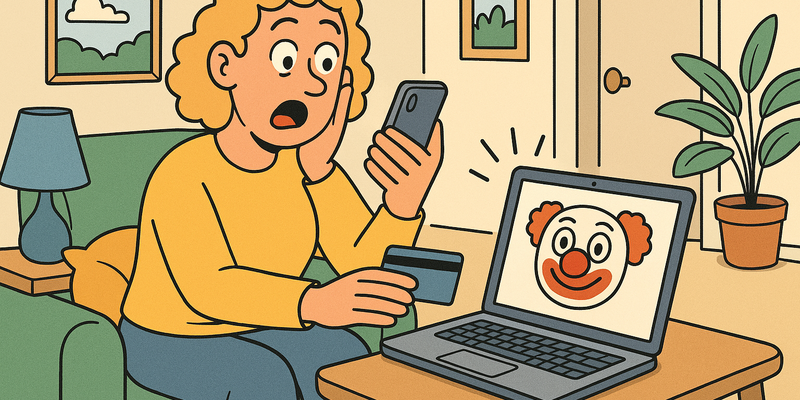
Recognizing Phishing and Scams
Not Everything With a Link Is Real
Most online problems arise from haste. Most protection comes from brief, calm verification.
In Recognizing Phishing and Scams, the advantage lies in routine: verifying through a second channel and not acting under digital pressure.
The goal is not perfection, but predictably safe behavior that holds up even on busy days.
Immediate measures (15 minutes)
Why this matters
The core of Recognizing Phishing and Scams is risk reduction in practice. Technical context supports the choice of measures, but implementation and embedding are central.
The package that never arrived
In the fall of 2021, Mrs. De Vries from Almere received a text message. "Your package is on its way. Confirm your details via this link." She was indeed expecting an order from Bol.com, so she tapped the link. The website looked exactly like PostNL's. She filled in her name, address and bank details. Two hours later, 4,800 euros had disappeared from her account.
Mrs. De Vries was not stupid. She was not naive. She was simply a person who received the wrong message at the wrong time. And that is exactly what scammers count on.
That fall, more than 2.5 million fake messages were sent in the Netherlands posing as PostNL, DHL or UPS. The Fraud Helpdesk registered a record number of reports. All of the Netherlands was shopping online, and the criminals knew it. Timing is everything.
This chapter helps you recognize those messages before you click. Because it can happen to anyone -- but it doesn't have to.
What is phishing exactly?
Phishing is digital fishing. A scammer throws out bait -- an email, text, WhatsApp message or even a QR code -- hoping that you bite. The bait looks like something trustworthy: your bank, the government, an online store, your boss. But behind that bait is a hook.
The goal is almost always the same: obtaining your data. Login credentials, bank details, social security numbers, or just enough information to impersonate you.
The term comes from the English "fishing," but with a ph because hackers in the nineties thought it looked cooler. That actually says enough about the kind of people we're dealing with.
The five recognition points
Almost every phishing attempt reveals itself through one or more of these five ways. Learn them and you're already ninety percent protected.
1. Urgency and threat
| What they say | What they mean |
|---|---|
| "Your account will be blocked within 24 hours!" | "Click fast, before you think." |
| "Immediate action required!" | "We don't want you to show this to anyone." |
| "Final warning!" | "We hope panic shuts down your judgment." |
| "You have a fine from the Tax Authority." | "Fear of the government always works." |
Real organizations always give you time. Your bank won't block your account via a text message with a twelve-hour deadline. The Tax Authority doesn't send threatening letters via email. If a message makes your heart beat faster, that is exactly the sender's intention.
Rule of thumb: The greater the panic a message tries to cause, the greater the chance it's fake.
2. A strange sender address
The message appears to come from ING, but the email address is
klantenservice@ing-verificatie-nl.com instead of
@ing.nl. Or the text comes from a regular mobile number
instead of "PostNL" as the sender.
Always check the actual address. On your phone you sometimes need to tap the sender name to see the real address. On your computer you can hover your mouse over the sender name.
Watch out for these tricks: - Extra words in the domain:
paypal-veiligheid.com instead of paypal.com
- Different extension: rabobank.net instead of
rabobank.nl - Small spelling errors: arnazon.com
(with an r and an n that together look like an m) - Strange additions:
abnamro-login-check.nl
3. "Dear customer" instead of your name
Your bank knows your name. The Tax Authority knows your name. Bol.com knows your name. If a message starts with "Dear customer," "Dear user" or "Hello" without further specification, the sender doesn't know who you are. And that's suspicious.
This is not infallible, by the way. Scammers regularly buy leaked databases with names and email addresses, so some phishing messages address you by name. But a generic greeting is an extra red flag.
4. Suspicious links
This is the most important one. Before you click on anything: check where the link leads to.
- On your computer: hover your mouse over the link without clicking. In the bottom left of your browser the real address appears.
- On your phone: press and hold the link (don't tap briefly!). A preview of the address appears.
A link that says "Click here to log in to ING" but points
to http://87.234.12.9/inloggen/ is fake. Always. No
discussion.
5. Unexpected attachments
An invoice you weren't expecting. An "important document" from an unknown sender. A zip file from your "colleague" with a vaguely described content. Don't open it.
Attachments are one of the most commonly used ways to get malicious software onto your device. Not expecting an attachment? Call the sender using a number you look up yourself, not the number in the message.
QR codes: the new trick
You know them from restaurant menus and parking meters. QR codes are everywhere. And criminals have noticed that too.
Quishing -- yes, that's really what it's called -- is phishing via QR codes. Here's how it works:
- You receive a letter, email or even a physical sticker placed somewhere
- It has a QR code with text like "Scan to verify your details" or "Scan for a discount"
- The QR code leads to a fake website that looks like your bank, the municipality or an online store
- You enter your details on that fake site
The sneaky thing about QR codes is that you can't see where they lead before you scan them. With a link in an email you can still check the address; with a QR code you're immediately on the website.
Tip: Never just scan a QR code on the street, in a letter you weren't expecting, or in an email. If an organization wants you to do something, log in via their official website or app.
In 2023, criminals stuck fake stickers over the real QR codes on parking meters in several Dutch cities. People who thought they were paying for parking gave their bank details away to scammers. When in doubt, check whether a QR sticker looks original or has been stuck over something else.
Types of scams
Phishing is the umbrella, but underneath it hang all sorts of specific variants. Here are the most common ones in the Netherlands.
CEO fraud
You receive an urgent message, seemingly from your director or manager. "I'm in a meeting and can't call. Can you quickly make a payment to this account? It's confidential."
This doesn't only happen to large companies. SMEs and freelancers also fall victim. The scammers look up on LinkedIn who works where and who's the boss. Then they send an email that looks exactly like the director's.
Recognizing it: Your boss never asks for secret urgent payments via email. Always call back using the number you already have, not a number from the message.
WhatsApp fraud ("Hi mom")
"Hi mom, this is my new number. My phone is broken. Can you transfer 500 euros? I'll explain later."
Thousands of Dutch people have fallen for this. The message plays on parents' reflex to help their child. The scammers sometimes even copy your child's profile photo from social media.
Recognizing it: Always call the old number of the person who claims to have a new number. Ask a question that only your child can answer. Never transfer money based on a text message.
Marketplace scams
The variants are endless: payment requests that lead to a fake site, buyers who "send the courier ahead" and ask you to pay shipping costs, sellers who offer a product they don't have.
Recognizing it: - Never pay via a link in a chat message; use the platform's official payment function - Be suspicious of prices that are too good to be true - Check the seller's profile: how long active, how many listings, reviews
Romance scams
Someone approaches you on a dating site or via social media. After weeks or months of intense contact -- compliments, future plans, sometimes even a marriage proposal -- the request comes: money. For a plane ticket, a medical emergency, stuck funds abroad.
The amounts often run into tens of thousands of euros because the scammer first builds an emotional bond. Victims often feel ashamed and don't report it.
Recognizing it: Someone you've never met in person who asks for money is almost always a scammer. Do a reverse image search on their profile photo (via Google Images) to check whether the photo was stolen from someone else.
What to do if you've already clicked
Panic is understandable but not useful. Follow these steps in order.
If you clicked a link but didn't fill in anything:
- Close the tab or browser
- Clear your browser history and any cookies from that website
- Scan your device with an antivirus scanner
- Monitor your bank account for the next few days
If you filled in your details:
- Were they your bank details? Call your bank immediately. Every moment counts. Most banks have a 24-hour fraud line:
| Bank | Fraud number |
|---|---|
| ING | 020 22 888 88 |
| Rabobank | 030 712 7128 |
| ABN AMRO | 0900 0024 |
| SNS | 030 633 3000 |
| ASN | 070 356 9356 |
- Was it a password? Change that password immediately. Do you use that password elsewhere? Change it everywhere.
- Was it your DigiD? Call the DigiD helpdesk (088 154 44 00) and have your account blocked.
- File a report with the police via politie.nl or at the station.
- Report it to the Fraud Helpdesk (088 786 2837 or fraudehelpdesk.nl).
If you opened an attachment:
- Disconnect your device from the internet (turn off wifi, unplug the cable)
- Don't turn off your device -- some malware activates upon restart
- Have your device checked by someone who knows what they're doing
- Change passwords for important accounts from a different device
Where to report?
Reporting helps. Not just yourself, but also others. The more reports, the faster fake websites get taken down and the better the police can recognize patterns.
| What to report | Where | Contact |
|---|---|---|
| Phishing email or text | Fraud Helpdesk | fraudehelpdesk.nl / 088 786 2837 |
| Financial damage | Your own bank | Via the fraud number (see above) |
| Filing a fraud report | Police | politie.nl or the station |
| Suspicious website | Internet Crime Reporting Center | mijnoverheid.nl |
| Phishing email sent on behalf of a company | That company itself | Forward to their reporting address (e.g., valse-email@ing.nl) |
| Identity fraud | Identity Fraud Central | 088 001 12 34 |
Tip: Forward suspicious emails to valse-email@fraudehelpdesk.nl. They analyze the messages and warn others.
The psychology behind it
Scammers are not computer geniuses. They are psychologists. They understand how people react to fear, time pressure, authority and greed.
Fear: "Your account has been hacked!" -- you want to fix it immediately.
Time pressure: "Your offer expires within 2 hours" -- no time to think.
Authority: "This is the Tax Authority" -- you don't dare to ignore it.
Greed: "You've won an iPhone!" -- you want to believe it.
Helpfulness: "Can you help me for a moment?" -- you want to be nice.
The best defense mechanism is simple: pause. Take five seconds. Breathe in. Ask yourself: was I expecting this message? Does the sender check out? Why the rush?
Those five seconds are the difference between safety and an empty bank account.
Do this today
Cut out this list (figuratively) and go through it. It'll take you half an hour and it protects you for years.
Remember: There's no shame in falling for it. It's human nature. But the more you know, the harder you make it for the scammers. And they deserve that.
Further reading in the knowledge base
These articles in the portal provide more background and practical context:
- Passwords — a brief history of collective failure
- Recognizing phishing
- Two-step verification — locking the door and bolting it
- VPN — a tunnel through the wild internet
- The Dark Web — what it is and why it matters
You need an account to access the knowledge base. Log in or register.
Related security measures
These articles provide additional context and depth:


