
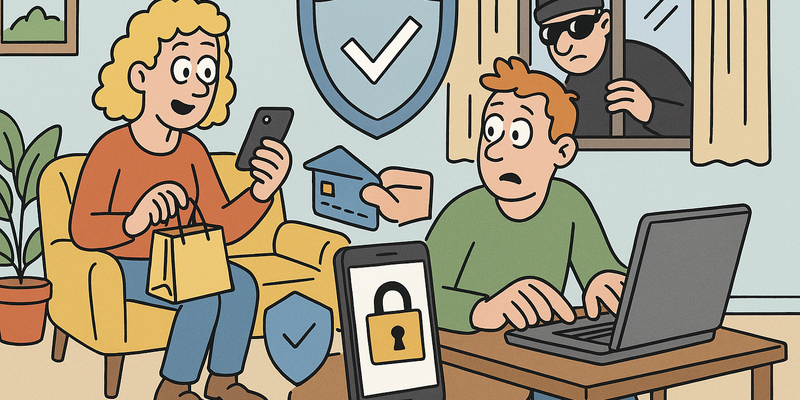
Online Shopping and Payments
Simple and Safe Is Still Safe
Digital safety doesn't have to be complicated. It becomes strong when you repeat a few fixed choices consistently.
For Online Shopping and Payments, the practical approach is simple: choose small measures you can set up today and maintain.
The goal is not perfection, but predictably safe behavior that holds up even on busy days.
Immediate actions (15 minutes)
Why this matters
The core of Online Shopping and Payments is risk reduction in practice. Technical context supports the choice of measures, but implementation and embedding are central.
The 39-euro sneakers that never arrived
In the fall of 2022, Mirjam from Breda came across an Instagram ad for Nike Air Max sneakers. Normally 189 euros, now for 39.95. The webshop looked slick: beautiful product photos, a professional layout, and at the bottom of the page sat the Thuiswinkel Waarborg trust mark. She ordered two pairs -- one for herself, one for her daughter.
The money was debited immediately. A confirmation email arrived with a track-and-trace code that led to a page permanently showing "in transit." After three weeks, she emailed customer service. No response. She called the phone number on the website -- not in service. She looked up the Chamber of Commerce number: it didn't exist. And that Thuiswinkel Waarborg logo? Just an image, copied from the internet.
Mirjam wasn't stupid or naive. She was an experienced online shopper who had been ordering from Bol, Zalando, and Coolblue for years. But these scammers were good. Very good. The Fraud Helpdesk received more than 40,000 reports of fake webshops that year. And those are only the people who took the trouble to report it.
This chapter helps you avoid following in the footsteps of the Mirjams of this world. How do you recognize a fake webshop? How do you pay as safely as possible? And what do you do if things go wrong anyway?
Recognizing fake webshops: seven red flags
Scammers are becoming increasingly professional, but there are always signals. No single signal by itself is proof of fraud, but if you encounter several, it's time to keep your wallet closed.
The seven warning signs
| # | Signal | What to look for |
|---|---|---|
| 1 | Too good to be true | Prices that are 50% or more below market price. Nobody sells a PlayStation 5 for 120 euros. |
| 2 | No or fake Chamber of Commerce number | Check the number on kvk.nl. Fake shops often fill in a random number. |
| 3 | No contact details | No address, no phone number, only a contact form. A real store is reachable. |
| 4 | Advance payment only | If the only payment option is a bank transfer, walk away. Preferably running. |
| 5 | Poor language | Awkward language with strange sentence constructions that sound like bad translations. |
| 6 | Fresh domain | The website has only existed for a few weeks. Check this on whois.nl or Scamcheck.nl. |
| 7 | Stolen trust marks | A Thuiswinkel Waarborg or WebwinkelKeur logo that you can't click. Genuine trust marks always link to a verification page. |
Tip: Unsure about a webshop? Look up the name at the Fraud Helpdesk (fraudehelpdesk.nl) or check reviews on Trustpilot. No reviews or only five-star reviews posted on the same day? That's suspicious.
The quick check in three steps
- Search for the webshop name + "scam" or "experience" in a search engine. Often within ten seconds you'll find out if others have already been caught.
- Verify the trust mark. Go to thuiswinkel.org and search whether the store is genuinely registered. Click on the trust mark logo on the website -- a genuine trust mark opens a verification page.
- Check the payment options. Does the shop offer iDEAL, credit card, and pay-after-delivery? Good sign. Only bank transfer or cryptocurrency? Get out.
Payment methods compared: not all money is equally protected
The way you pay determines how much protection you have if things go wrong. Not all payment methods are equal.
Payment methods overview
| Method | Fraud protection | Money back possible? | Advice |
|---|---|---|---|
| iDEAL | Limited | Difficult, through your bank | Only with well-known stores |
| Credit card | Good (chargeback right) | Yes, within 120 days | Best option for unfamiliar stores |
| PayPal | Reasonable (buyer protection) | Yes, through dispute process | Good option, pay attention to terms |
| Pay after delivery (Klarna, Riverty) | Good | You haven't paid yet | Safe: you only pay after receipt |
| Bank transfer | None | Virtually impossible | Only with trusted parties |
| Cryptocurrency | None | Impossible | Never use for webshops |
| Gift cards | None | Impossible | Only scammers ask for gift cards as payment |
The golden rule
If a webshop asks you to pay via bank transfer, cryptocurrency, or gift cards: it is almost certainly a scam. Legitimate webshops always offer standard payment methods.
Credit card vs debit card: the difference that matters
Many Dutch people pay for everything with their debit card (from their bank) and don't have a credit card. That's fine in daily life, but for online purchases they miss an important safety net: chargeback.
What is chargeback?
If you pay with a credit card and the delivery isn't right -- you receive nothing, the wrong product, or the webshop turns out to be a scam -- you can request a "chargeback" from your credit card company. This is an official request to reverse the payment. The credit card company investigates your claim and reverses the amount if you are in the right.
Comparison
| Debit card (Maestro/V Pay) | Credit card (Visa/Mastercard) | |
|---|---|---|
| Chargeback right | No (or very limited) | Yes, legally established |
| Time to claim | n/a | Up to 120 days after purchase |
| Costs | No annual fees | Sometimes annual fees (5-25 euros) |
| Online protection | Limited | Extensive |
Tip: You don't need an expensive credit card. Many banks offer a prepaid credit card or a credit card without annual fees. Use one specifically for online purchases.
When to use what?
- Well-known, large stores (Bol, Coolblue, Amazon): iDEAL is fine.
- Smaller or foreign stores: credit card or PayPal.
- First time at a new store: pay after delivery if possible, otherwise credit card.
- Second-hand platforms: use the platform's own payment option (don't transfer directly).
Marktplaats and Vinted: the wild west of online commerce
Second-hand platforms are fantastic for finding bargains, but they're also the favorite hunting ground for scammers. The tricks are creative and increasingly sophisticated.
The most common tricks
1. The Tikkie trick You're selling something on Marktplaats. The "buyer" sends a link that looks like a Tikkie, but it's a phishing page that steals your bank details. Or worse: instead of receiving money, you transfer money.
2. The fake shipping label The "buyer" says a courier will come by. You receive a link to confirm the "shipping label," but it's a payment page that takes money from your account.
3. The overpayment trick Someone "accidentally" pays too much and asks you to refund the difference. The original payment turns out to be fake.
4. Triangle fraud A scammer sells something they don't have. They accept your payment, order the product from a real store to your address using stolen credit card details. You receive the product, but months later the payment is reversed and you get the bill.
Rules of thumb for second-hand platforms
- Always use the platform's own payment function. Marktplaats has "Gelijk Oversteken" (Safe Payment), Vinted has its own buyer protection. Don't bypass these.
- Never click on payment links you receive via WhatsApp, SMS, or chat. Always go to the app or website yourself.
- Receive a Tikkie? Open the real Tikkie app and check if the request is listed there. Never open a Tikkie via a link in a chat message.
- When in doubt: pick up in person and pay cash. Meet in a public place.
- Too good to be true? Then it is. An iPhone 15 for 200 euros is not a bargain -- it's a scam.
Tip: Check the seller's profile. How long has the account existed? How many reviews? A brand new account without reviews selling expensive electronics is a red flag.
Two-step verification at your bank
Your bank probably already offers it, but have you also enabled it? Two-step verification (also called two-factor authentication) means you need an extra confirmation in addition to your password to log in or make a payment.
How does it work at the bank?
At most Dutch banks, it works like this:
- You log in with your username and password (or fingerprint).
- You confirm the action in the app, with a code from the card reader, or with facial recognition.
That second step is crucial. Even if someone knows your password, they can't access your account without your phone or card reader.
Make sure you have it properly set up
- Check your notification settings. Turn on alerts for every payment above a certain amount (for example, 25 euros).
- Enable push notifications. This way you receive an immediate alert if someone tries to log in or transfer money.
- Set a daily limit. Most banking apps let you set how much you can transfer per day. Set this to a realistic amount.
Safe handling of your bank card and payment app
The debit card
- Don't let your card out of sight when paying at a restaurant or store. If the PIN transaction fails and they take your card "for a moment," go with them.
- Shield your PIN code. Every time. Even at the supermarket. Even if no one is standing behind you (cameras exist too).
- Use contactless payments up to the maximum amount. Your card never leaves your hand.
- Store your card and PIN separately. Never both in the same wallet. And don't write your PIN anywhere (especially not on a note in your wallet).
The payment app
- Secure your phone with a PIN, fingerprint, or facial recognition. Without a lock, your phone is an open wallet.
- Set a separate password for your banking app. Not the same as your phone code.
- Lose your phone? Immediately block your payment app by calling your bank.
- Don't log into your banking app when someone can see your screen. On the train, in a cafe -- wait a moment.
Checking receipts and subscriptions
It sounds boring, but it's one of the most effective ways to detect fraud early: check your transactions. Regularly. At least once a week.
What to look for
- Transactions you don't recognize. Sometimes they appear under a different name than the store (a parent company, for example). Look up the name before you panic. But don't ignore it.
- Small amounts. Fraudsters often test with small charges (1-2 euros) to see if a stolen card works before charging larger amounts.
- Subscriptions. That free trial you forgot to cancel? That "one-time offer" that secretly turned out to be a subscription? Check your recurring charges at least every quarter.
A simple system
- Open your banking app every Monday and scroll through the charges from the past week.
- Don't recognize something? First look up the name. Still doesn't ring a bell? Call your bank.
- Make a list every quarter of all your active subscriptions. Do you still need all of them?
Tip: There are apps that track your subscriptions and alert you to unexpected charges. But honestly: your banking app and five minutes per week are enough.
What to do with an unauthorized charge
It has happened. There's a charge on your account that you didn't make. Don't panic -- but act quickly.
Step by step: what you need to do
Block your card immediately. Call your bank or do it through the app. Every minute counts.
Important phone numbers:
Bank Phone number (blocking) ING 0900 - 0933 Rabobank 030 - 712 5372 ABN AMRO 0900 - 0024 SNS 030 - 633 3000 ASN 070 - 356 9356 Report the fraud to your bank. This can usually be done by phone or through the app. The sooner you report, the greater the chance of getting your money back.
File a police report. This can be done online at politie.nl. You need the report number for your bank.
Paid by credit card? Request a chargeback. Call the credit card company and file a claim.
Report it to the Fraud Helpdesk (fraudehelpdesk.nl, tel: 088 - 786 73 72). They register the fraud and can warn others.
Save everything. Screenshots of the webshop, confirmation emails, chat conversations, bank statements. Everything can help with your claim.
How quickly do you get your money back?
| Payment method | Chance of getting money back | Timeline |
|---|---|---|
| Credit card (chargeback) | High | 1-8 weeks |
| PayPal (buyer protection) | Reasonable | 2-4 weeks |
| iDEAL | Low | Uncertain, depends on the bank |
| Bank transfer | Very low | Nearly impossible with a foreign account |
| Cryptocurrency | Negligible | Impossible |
Important: With iDEAL and bank transfers, you have less legal protection. Your bank can try to recover the money, but if it's already in a foreign account, that's often impossible. That's why prevention is better than cure.
Summary: the six commandments of online payments
| Commandment | What you do |
|---|---|
| 1. Verify the webshop | Check Chamber of Commerce, trust mark, reviews, and contact details |
| 2. Pay smart | Credit card or pay after delivery for unfamiliar stores |
| 3. Use platform protection | Pay via Gelijk Oversteken (Safe Payment) on Marktplaats |
| 4. Don't click on payment links | Always go to the app or website yourself |
| 5. Check your transactions | Five minutes every week in your banking app |
| 6. Act quickly with fraud | Block, report, file police report, chargeback |
Do this today
Remember: scammers count on you being in a hurry, excited about a deal, or momentarily not paying attention. Your best defense is very simple: pause and think before you pay. If something seems too good to be true, it almost always is.
Further reading in the knowledge base
These articles in the portal provide more background and practical context:
- Passwords — a brief history of collective failure
- Recognizing phishing
- Two-step verification — lock the door and bolt it
- VPN — a tunnel through the wild internet
- The Dark Web — what it is and why it matters
You need an account to access the knowledge base. Log in or register.
Related security measures
These articles provide additional context and depth:


