
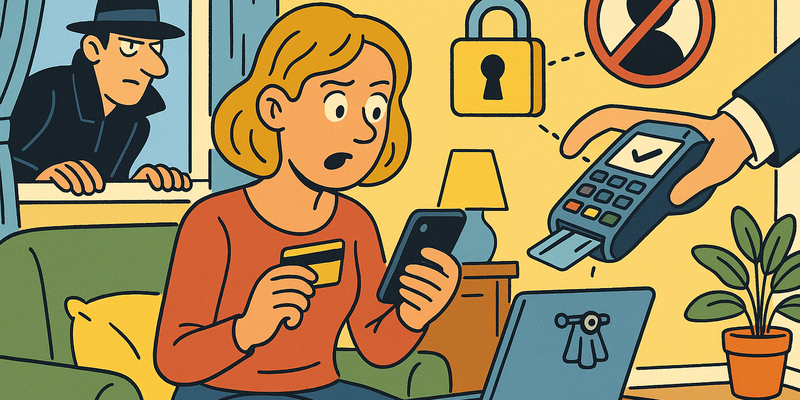
Privacy and Social Media
Share Less, Less Hassle
Most online problems arise from haste. Most protection comes from brief, calm verification.
In Privacy and Social Media the gain lies in routine: verifying through a second channel and not acting under digital pressure.
The goal is not perfection, but predictably safe behaviour that holds up even on busy days.
Immediate measures (15 minutes)
Why this matters
The core of Privacy and Social Media is risk reduction in practice. Technical context supports the choice of measures, but implementation and embedding are central.
The scandal that woke the world
In 2018 one of the biggest privacy scandals in digital history erupted. An obscure British company called Cambridge Analytica had harvested the personal data of more than 87 million Facebook users, without those people knowing anything about it. It all started with an innocuous-looking personality quiz. "Discover your true character!" Who would not click on that?
The problem was that this quiz did not only collect your answers, but also scraped the profiles of all your Facebook friends. Your single click yielded hundreds of profiles. That data was then used to create targeted political advertisements, including during the 2016 American presidential elections and the Brexit referendum. Democracy, steered by a quiz about which Harry Potter character you are.
Mark Zuckerberg had to appear before the American Congress. Facebook's fine ultimately amounted to five billion dollars. But the real problem was not solved: the business model of social media still revolves around your data.
You are the product
There is an old saying in the tech world: if you are not paying for the product, you are the product. That sounds dramatic, but it is remarkably accurate.
Social media are free. Facebook does not charge a subscription. TikTok does not send an invoice. Instagram does not ask for an entry fee. But these companies are simultaneously among the most valuable in the world. How is that possible?
The answer is advertising, but not the boring kind you know from newspapers. Social media sell something far more valuable than a full-page advertisement: they sell the ability to reach exactly the right person at exactly the right moment.
Every time you scroll, like, share or comment, you tell the platform something about yourself. And this goes much further than you might think:
| What you do | What the platform learns |
|---|---|
| You like a post about running | You are interested in sport and fitness |
| You watch a video for more than 5 seconds | This topic interests you, show more of it |
| You search for baby clothing | You may be expecting a child |
| You quickly scroll past a political post | Your political preference is different |
| You open the app at 23:00 | Your sleep pattern and daily routine |
| You are on holiday and post photos | Your home is currently empty |
This profile is sold to advertisers. Not your name and address literally, but a profile so detailed that the difference hardly matters.
Tip: With every post, ask yourself: would I pin this on a noticeboard in the supermarket? No? Then perhaps not online either.
Privacy settings: take back control
The good news is that you can adjust your privacy settings on every platform. The bad news is that those settings are by default as open as possible, because that earns the platforms the most money. Time to change that.
The golden rules for every platform
Regardless of which platform you use, these basic principles apply:
- Make your profile private. On virtually every platform you can set it so that only approved followers see your posts.
- Restrict who can find you. Turn off the ability for people to find you via your phone number or email address.
- Disable location sharing. You do not need to tell the world where you are.
- Check app connections. Remove apps and websites you have granted access to at some point.
- Turn off personalised advertisements. This can be found somewhere in the settings on every platform.
Per platform: where to find what
| Platform | Where to find privacy settings | Key actions |
|---|---|---|
| Facebook/Meta | Settings > Privacy | Set profile to "Friends only", disable facial recognition, adjust advertising preferences |
| Settings > Privacy | Set account to private, restrict story sharing, disable activity status | |
| TikTok | Settings > Privacy | Set account to private, disable downloads by others, enable comment filter |
| Settings > Visibility | Restrict profile view, hide email address, disable activity broadcasts | |
| X (Twitter) | Settings > Privacy and safety | Protect posts, remove location from tweets, restrict discoverability |
Step by step: how to do it
The exact menu structure differs per platform and changes regularly, but the basic recipe is always the same:
- Open the app and go to your profile
- Look for the gear icon or the menu with three dots
- Go to Settings
- Find the section Privacy or Privacy and security
- Go through each item and set it to the most restrictive option
- Then go to Ads or Ad preferences and disable personalisation
- Under Apps and websites or Linked accounts check which external services have access and remove everything you no longer use
Tip: Set a reminder in your calendar to check this every three months. Platforms regularly add new settings that are open by default.
What are you sharing without realising?
You might think you are being careful online. You do not post your address, phone number or bank account number. But the amount of information you share unconsciously is staggering.
Metadata in photos
Every photo you take with your phone contains invisible information, called metadata. Think of:
- Exact GPS coordinates of where the photo was taken
- Date and time to the second
- The type of phone you are using
- The direction the camera was pointing
If you post a photo of your new cat, someone with the right knowledge can see exactly where you live, when you were at home, and which brand of phone you have.
Most social media strip this metadata when uploading, but not all. And if you send photos via email or messaging services, the metadata often remains in the file.
Location data and check-ins
"Having a lovely lunch at Restaurant De Gouden Leeuw!" Nice post. But you are also saying: I am not home right now. If you consistently post this kind of update, you are building a detailed overview of your daily routine for the entire world to see.
What your photos reveal
Even without metadata, your photos tell more than you think:
- A photo of your new key? It can be duplicated based on the photo
- A photo of your boarding pass? Your booking code is visible, along with your entire travel schedule
- A photo of your workstation? The background may contain confidential information
- A photo of your car on the driveway? Your licence plate and address are visible
Facial recognition and tagging
Many platforms use facial recognition to automatically suggest who is in a photo. Convenient? Perhaps. But it also means the platform has stored a digital fingerprint of your face.
How to disable it
- Facebook/Meta: Go to Settings > Face Recognition and set it to "No"
- Google Photos: Go to Settings > Group similar faces and disable this
- iPhone: Go to Settings > Privacy > Photos and restrict which apps have access
Restricting tagging by others
On most platforms you can set it so that you must first give approval before someone can tag you in a photo. This is one of the most important privacy settings there is, because it prevents others from deciding where you are visible online.
Tip: Also ask friends and family not to tag you without permission. It is a matter of digital courtesy.
Your rights under the GDPR
Since 2018 the General Data Protection Regulation (GDPR) has applied throughout Europe. This is one of the most powerful privacy laws in the world, and you have more rights under it than you might think.
What are your rights?
| Right | What it means |
|---|---|
| Right of access | You may ask any company what data it holds about you |
| Right to rectification | If data is incorrect, it must be corrected |
| Right to erasure | You may request that your data be deleted |
| Right to data portability | You may receive your data in a readable format |
| Right to object | You may object to the processing of your data for marketing purposes |
How do you do this in practice?
- Look on the company's website for the privacy policy or the contact details of the data protection officer
- Send an email with a clear request, for example: "I would like access to all personal data you process about me, on the basis of Article 15 GDPR"
- The company must respond within thirty days
- If they do not respond or refuse, you can file a complaint with the Dutch Data Protection Authority via autoriteitpersoonsgegevens.nl
Tip: At most major platforms you can request your data via the settings. Look for "Download your data" or "Download your information". The result is often shockingly comprehensive.
The right to be forgotten
Google remembers everything. Try searching for your own name: chances are results will appear that you would rather not see. An old forum post. A mention in a local newspaper. A photo from ten years ago.
Under the GDPR you have the right to ask Google to remove search results that are outdated, irrelevant or excessive. This is called the "right to be forgotten."
How to request it
- Go to Google's removal page (search for "Google removal request")
- Fill in the form with your name and the specific search results you want removed
- Explain why the information is outdated or no longer relevant
- Google assesses your request and weighs your privacy interest against the public interest
Note: this does not remove the information from the original website. It only ensures that Google no longer shows it in search results. To remove information from the source page itself you need to contact the owner of that website.
Cookie notices: what do you choose?
You know them well, those annoying banners at the bottom of every website. "We use cookies. Accept?" Most people click "Accept all" because it is the fastest way to get rid of the thing. But that is exactly what those companies are counting on.
What are cookies, exactly?
Cookies are small files that a website stores on your device. There are three types:
| Type of cookie | Purpose | Should you accept them? |
|---|---|---|
| Necessary cookies | Make the website work, for example remembering your shopping basket | Yes, these are unavoidable |
| Analytical cookies | Measure how many visitors a website has | Optional, relatively harmless |
| Tracking/marketing cookies | Track you across the entire internet to show targeted advertisements | No, always refuse these |
What should you choose?
- Never click "Accept all"
- Look for "Manage settings", "Customise preferences" or "Necessary cookies only"
- Only accept the necessary cookies
- If there is no option to refuse, the website is in violation of the GDPR
Tip: There are browser extensions that automatically handle cookie notices and refuse everything by default. Search in your browser's extension store for "cookie auto-decline" or "cookie consent blocker."
Alternatives that respect your privacy
You do not need to stop using the internet to protect your privacy. There are good alternatives to the well-known data harvesters:
| Instead of… | Try… | Why? |
|---|---|---|
| Signal | Encrypted, collects virtually no data, open source | |
| Gmail | ProtonMail or Tutanota | Encrypted email, servers in Europe |
| Google Search | DuckDuckGo or Startpage | Search without your search history being stored |
| Google Chrome | Firefox or Brave | Better privacy protection built in by default |
| Google Maps | OpenStreetMap | Open source, no tracking |
| Google Drive | Tresorit or Proton Drive | Encrypted storage |
You do not have to change everything at once. Start with one or two replacements and build it up slowly.
Tip: Signal works exactly like WhatsApp, including group conversations and calling. The only difference is that Signal does not watch.
Do this today
This is your action plan. Pick up your phone and go through this list. It takes half an hour and it is more than worth it.
Remember: Privacy is not an all-or-nothing matter. Every step you take makes it harder to build a complete profile of you. You do not need to be perfect, you just need to be more conscious than yesterday.
Further reading in the knowledge base
These articles in the portal give you more background and practical context:
- Passwords — a brief history of collective failure
- Recognising phishing
- Two-factor verification — the door locked and bolted
- VPN — a tunnel through the wild internet
- The Dark Web — what it is and why it matters
You need an account to access the knowledge base. Log in or register.
Related security measures
These articles provide additional context and depth:


