
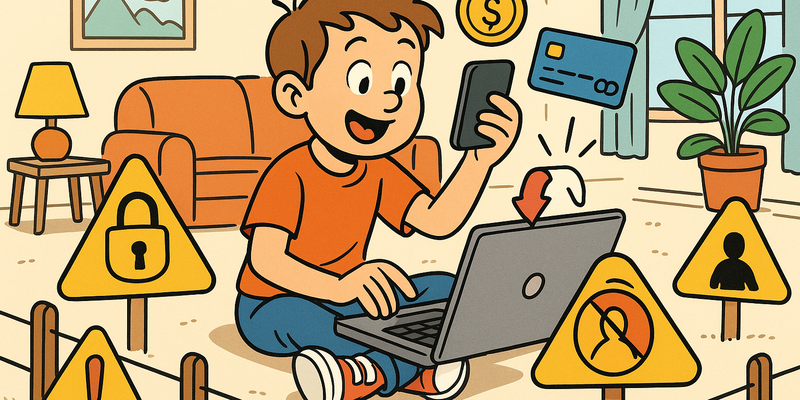
Children and the Internet
Children Online, Rules Agreed Offline
Most online problems arise from haste. Most protection comes from brief, calm verification.
In Children and the Internet, the gain lies in routine: verifying via a second channel and not acting under digital pressure.
The goal is not perfection, but predictably safe behavior that holds up even on busy days.
Immediate measures (15 minutes)
Why this matters
The core of Children and the Internet is risk reduction in practice. Technical context supports the choice of measures, but implementation and assurance are central.
The case that changed everything
In 2023, the British newspaper The Guardian published an extensive investigation about a thirteen-year-old girl from an English suburb. She had made a "friend" on a popular gaming platform who claimed to be fifteen. After weeks of daily chatting, compliments, and increasingly personal conversations, this friend asked for a photo. And then another. And then one she didn't actually want to send.
The "friend" turned out to be a forty-two-year-old man. When the girl refused to send more, he threatened to spread the previously sent photos at her school. She didn't dare tell anyone for months.
This story is not an exception. According to the Center against Human Trafficking and Human Smuggling, thousands of children in the Netherlands fall victim to online abuse every year. Not in dark corners of the internet, but on platforms your children use every day. Fortnite. Roblox. Instagram. Snapchat. TikTok.
This chapter is not about spreading fear. It's about knowing what's going on, so you can do something about it.
Age and the internet: when is a child ready?
The honest question every parent struggles with: when do you give your child a phone? When are they allowed on social media? There's no magic answer, but there are guidelines.
Rules of thumb by age
| Age | Suitable for | Not yet suitable for |
|---|---|---|
| 0-5 years | Limited viewing with a parent, educational apps under supervision | Using a screen independently |
| 6-9 years | Browsing together, child-friendly apps, limited screen time | Own phone, social media, unrestricted internet |
| 10-12 years | Own tablet or phone with parental controls, agreements about screen time | Social media, unsupervised chatting with strangers |
| 13-15 years | Social media with privacy settings on maximum, open conversations about risks | Anonymous platforms, dating apps |
| 16-17 years | More personal responsibility, but still involved parenting | Complete digital freedom without any guidance |
Tip: The question is not so much "at what age" but "how well is my child prepared?" A mature twelve-year-old who communicates openly with you is better off than a fifteen-year-old who doesn't know how the internet works.
It's not a light switch
Digital parenting is not a matter of "internet on" or "internet off." It's a gradual process of giving more and more freedom, coupled with more and more responsibility. Just like cycling: you start with training wheels, then you hold the luggage rack, and eventually you let go. But you do check whether they know how traffic lights work.
Setting up parental controls
Technical measures are no substitute for conversations, but they do help. Think of it as a safety net under the tightrope: you hope they don't need it, but you're glad it's there.
Per platform: how to set it up
| Platform | Tool | What you can configure |
|---|---|---|
| iPhone/iPad | Screen Time (Settings > Screen Time) | App limits, downtime, age-based restrictions, passcode |
| Android | Google Family Link (separate app) | Screen time limits, app approval, location, bedtime lock |
| Router | Admin page (see sticker under your router) | Schedules per device, website filters, category blocking |
The basic steps are the same everywhere:
- Open the settings or parental control app
- Link your child's account or device
- Set a passcode your child doesn't know
- Restrict which apps can be used and set age limits
- Set daily time limits per app or category
- Enable downtime so the device locks at bedtime
Tip: Your internet provider often offers a free filtering option as well. Call customer service and ask about it.
Gaming: more than just a game
Gaming is the most important digital activity for many children. And that's fine, because gaming can be social, creative, and educational. But there are three areas where you as a parent need to be alert.
In-app purchases and microtransactions
Many games are free to download but make money from small in-game purchases. A new character for two euros. A rare skin for five euros. A chest with unknown contents for three euros (that's called a "loot box" and works exactly like a slot machine).
How to protect your wallet:
- Remove your credit card or payment card from your child's app store
- Set it so that every purchase requires your password or fingerprint
- Optionally give your child a prepaid gift card with a fixed amount
- Discuss the difference between real value and virtual items
| Platform | Where to set purchase protection |
|---|---|
| iPhone/iPad | Settings > Screen Time > Restrictions > iTunes and App Store Purchases |
| Android | Google Play > Settings > Require verification for purchases |
| PlayStation | Settings > Family Management > Spending Limits |
| Xbox | account.xbox.com > Family Settings > Spending |
| Nintendo Switch | Nintendo Switch Parental Controls app |
Contact with strangers
In many online games, children can talk and chat with strangers. In Fortnite, Roblox, Minecraft, and countless other games, voice chat or text chat is enabled by default.
What you can do:
- Turn off voice chat or restrict it to known friends only
- Check your child's friends list regularly
- Explain that someone who claims to be fourteen online could just as easily be forty
- Make an agreement: if someone online asks something weird, you tell mom or dad, and you won't get in trouble
Screen time and gaming behavior
Watch for signs that gaming is becoming problematic:
- Your child becomes angry or aggressive when they have to stop
- School performance declines
- Other hobbies and friendships fade
- Your child secretly plays at night
- They lie about how much they play
Tip: Play along once in a while. Seriously. You'll understand much better what your child does if you've experienced it yourself. And your child secretly thinks it's awesome.
Social media and age limits
Virtually all social media platforms maintain a minimum age of thirteen. That's not an arbitrary number: it comes from the American COPPA law, which provides extra protection for children under thirteen.
Why that limit exists
- Children under thirteen are more vulnerable to manipulation and peer pressure
- Their brain is still developing, particularly the part that controls impulses
- They are less able to distinguish advertising from genuine content
- The GDPR has extra strict rules for processing data of minors
The reality
Let's be honest: many children under thirteen are already on social media. They enter a false birth date and nobody checks. So banning alone isn't enough. Preparation is at least as important.
If your child goes on social media, set up together:
- A private account, not public
- Only real acquaintances as followers
- Location sharing off
- Direct messages from followers only
- The agreement that you as a parent look along occasionally, not to spy, but to stay involved
Sexting and grooming
These are the topics nobody likes to talk about, but that are too important to ignore.
What is grooming?
Grooming is the process by which an adult gains a child's trust online, with the ultimate goal of sexual abuse. It often follows a recognizable pattern:
- Making contact: Via a game, social media, or chat platform
- Building trust: Compliments, showing understanding, promising gifts
- Isolating: "This is our secret," "Your parents wouldn't understand"
- Pushing boundaries: Conversations become increasingly personal and intimate
- Abuse: Requesting photos, meeting up, blackmail if the child wants to stop
Signs to watch for
- Your child is secretive about online activities
- They have an "online friend" nobody knows
- They receive gifts or credits from an unknown source
- They quickly switch screens when you walk in
- Sudden mood swings after phone use
- They use a second, hidden account
What is sexting?
Sexting is sending sexually suggestive messages or images. Among young people, this happens more often than you'd think, and it's important to know that sending and receiving such images of minors is a criminal offense, even when it involves images of themselves.
How do you discuss this?
The most important thing: make sure your child knows they can always come to you, without punishment and without judgment. Children who are afraid of their parents' reaction tell nothing. And then the problem only gets bigger.
Talk about it openly. Not once, but regularly. Use concrete examples. "Suppose someone online asks for a photo without clothes. What would you do?" It's not a police interrogation. It's about normalizing the conversation.
Tip: Use current news stories as a starting point. "Did you see this? What do you think?" works better than "Let me explain how dangerous the internet is."
Cyberbullying
Bullying has always existed, but the internet has given it a new dimension. Before, you could come home from school and be safe. Now the bullying comes along in your pocket, twenty-four hours a day, seven days a week.
It comes in many forms: exclusion from group chats, forwarding embarrassing photos, creating fake profiles, sending threatening messages, or publicly ridiculing someone.
Signs and action
Watch out if your child suddenly doesn't want to go to school anymore, becomes quiet after phone use, develops sleep problems, or stops activities they used to enjoy.
What you can do:
- Take it seriously. "Just ignore it" doesn't work with cyberbullying
- Save evidence. Take screenshots of messages and conversations
- Report it. To school, to the platform, and in serious cases to the police
- Block the bully and get help through a helpline or counselor
Tip: Also teach your child about their own online behavior. Behind a screen, it's easy to type something you would never say to someone's face. Digital decency starts at home.
Sharenting: the risks of sharing online
Sharenting is a combination of "sharing" and "parenting": sharing photos and stories about your children on social media. Most parents do it with the best intentions, but the consequences can be far-reaching.
Your child didn't consent to that photo on the potty. By the time they turn eighteen, an average of a thousand photos are online, posted by the parents. Photos in school uniforms, by the front door, or with name tags contain more information than you think. With a name, birth date, and photo, a criminal can build a false identity. And innocent children's photos sometimes end up in places where they absolutely don't belong.
Rules of thumb: Don't share recognizable photos combined with name and location. No nude photos, not even of babies. No school uniforms. Ask your child for permission as soon as they're old enough. Limit the audience to people you actually know.
Tip: Ask yourself: would my child be happy in ten years that this photo is public? When in doubt: don't post it.
Having the conversation
The single most important tip in this entire chapter: talk to your children. Not once, not when something goes wrong, but regularly and openly.
Start early, ask questions instead of imposing rules ("What would you do if..." works better than "You must never..."), and be honest about your own uncertainty. "I don't know exactly how TikTok works either. Show me?" Children love being the expert.
The most important thing: don't overreact. If your child tells you someone sent something weird and you react by taking away the phone, they'll never tell you anything again. Talk WITH your children, not ABOUT them. They are people learning to navigate a world we don't fully understand ourselves.
Helplines and reporting points
If something is wrong, you don't have to solve it alone. There are organizations specifically set up to help.
| Organization | What for | Contact |
|---|---|---|
| Kindertelefoon | For children and young people who want to talk about something | 0800-0432 (free) or kindertelefoon.nl |
| Helpwanted.nl | For unwanted online experiences (sexting, grooming, cyberbullying) | helpwanted.nl |
| Child Abuse Hotline | For reporting child sexual abuse material | meldpunt-kinderporno.nl |
| 113 Suicide Prevention | For suicidal thoughts | 113 or 0800-0113 |
| Veilig Thuis (Safe Home) | For suspicions of domestic violence or child abuse | 0800-2000 |
| Police | For criminal offenses (threats, blackmail, abuse) | 0900-8844 or in emergencies 112 |
| Stichting Halt | For boundary-crossing behavior by young people themselves | halt.nl |
Tip: Save these numbers in your phone. Pin them on the bulletin board. Give them to your children. The best time to know a helpline is before you need it.
Do this today
Here is your action plan. Not tomorrow, not next week. Today.
Remember: Technical measures are important, but the real safety net is the relationship with your child. A child who knows they can come to you is better protected than a child with the strictest parental controls and a closed mouth.
Further reading in the knowledge base
These articles in the portal provide more background and practical context:
- Passwords -- a brief history of collective failure
- Recognizing phishing
- Two-step verification -- locking the door and bolting it shut
- VPN -- a tunnel through the wild internet
- The Dark Web -- what it is and why it matters
You need an account to access the knowledge base. Log in or register.
Related security measures
These articles provide additional context and depth:


