
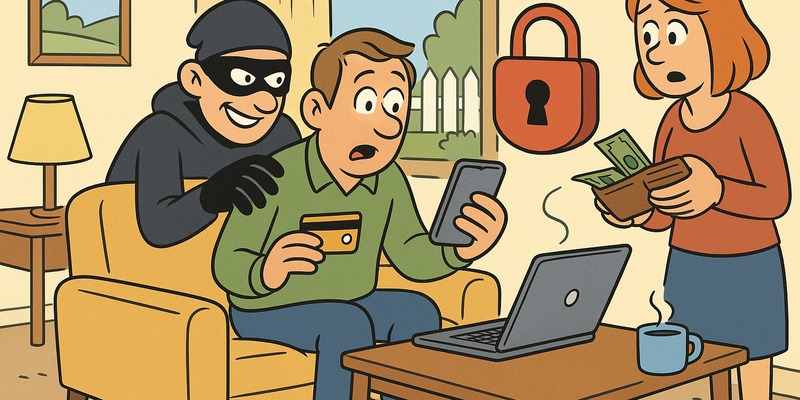
When Things Go Wrong: First Aid for Hacks
Click Less, Verify More
Most online problems arise from haste. Most protection comes from brief, calm verification.
For When Things Go Wrong: First Aid for Hacks the practical route is straightforward: choose small measures you can set up today and maintain.
The goal is not perfection, but predictably safe behaviour that holds up even on busy days.
Immediate measures (15 minutes)
Why this matters
The core of When Things Go Wrong: First Aid for Hacks is risk reduction in practice. Technical context supports the choice of measures, but implementation and embedding are central.
The story of Linda and the golden hour
Linda is 54, works as an office manager in Amersfoort, and needed exactly fourteen minutes one Thursday morning to understand that her digital life was on fire. It started with a notification on her phone: "Your Google password has been changed." She had not changed her password. Then the notifications came in waves. Instagram: new login device. Facebook: new login device. ING: SMS verification requested. Her email would no longer load.
Linda called her son. He called back three hours later. In those three hours, the attacker had used her email to reset passwords for eight other accounts, placed two fake advertisements on Marktplaats under her name, and requested a new bank card.
What Linda did not know — and what most people do not know — is that the first sixty minutes after a hack are the most important. Just like with a heart attack: the faster you act, the smaller the damage.
This chapter is your first aid kit for digital emergencies. Read it now, while everything is calm.
The golden hour
In medical emergencies, doctors talk about the "golden hour" — the first sixty minutes in which the right actions make the difference between recovery and permanent damage. With digital incidents the exact same principle applies. An attacker works fast: from your email they can reset passwords on dozens of services. Every minute that passes gives them more time to expand access. After a few hours they may have changed your recovery email address, phone number and security questions.
The message: stop whatever you are doing and act now.
Ground rule: Not sure whether it really is a hack? Act as if it is. Better to "waste" an hour changing passwords than to spend a week recovering stolen accounts.
Scenario 1: Your email has been hacked
Your email account is the most important account you have. It is the key to all your other accounts, because almost every service uses your email to reset passwords. If an attacker takes over your email, they can gain access to everything within an hour.
How do you notice it?
You can no longer log in, you see emails in "Sent" that you did not send, you receive password reset requests you did not request, or contacts report strange messages from you.
Recovery plan: step by step
- Try to log in immediately — if you still can, change your password immediately to something completely new
- Can you not log in? Use the recovery procedure of
your email provider:
- With Gmail: go to accounts.google.com/signin/recovery
- With Outlook/Hotmail: go to account.live.com/password/reset
- Answer security questions or use your recovery phone number
- Check your account settings once you are back in:
- Is your recovery email address still yours?
- Is your phone number still correct?
- Are there any forwarding rules set up that you do not recognise? (Attackers often set a forwarding address so they keep reading all your email, even after you have changed your password)
- Are there unknown devices logged in? Remove them all
- Enable two-factor verification — this is now priority number one
- Change the passwords of your most important
accounts via your recovered email, in this order:
- Your bank
- DigiD
- Other email accounts
- Social media
- Online shops where you have stored payment details
- Warn your contacts that your email was hacked and that they should be suspicious of messages they received from you
Important: If you used the same password as your email at other services (and be honest — most people do), assume those accounts are also compromised.
Scenario 2: Your social media has been taken over
Taking over social media accounts is big business. Attackers use your account to spread spam, scam your followers, or demand a ransom to return your account.
How do you notice it?
You can no longer log in, friends report strange messages, you see posts you did not make, or you receive a notification that your email address or phone number has been changed.
Recovery per platform
Instagram:
- Open the Instagram app and tap "Get more help"
- Choose "Can't access this email or phone number"
- Select your account type (personal or business)
- Follow the steps — Instagram may send a verification link or ask for a video selfie
- Go to instagram.com/hacked if the app does not work
Facebook:
- Go to facebook.com/hacked
- Click "My account is compromised"
- Enter your email address, phone number or name
- Facebook will guide you through the recovery process
- You may need to verify your identity with a photo of your ID
WhatsApp:
- Reinstall WhatsApp and log in with your phone number
- You will receive a text message with a verification code — enter it
- This automatically logs the attacker out on the other device
- Then enable two-step verification via Settings > Account > Two-step verification
LinkedIn:
- Go to linkedin.com and try to log in
- If that does not work: click "Forgot password"
- If that does not work either: contact them via linkedin.com/help/linkedin/ask/TSO-Q
- LinkedIn will send instructions by email
General tips for social media
- Always report the takeover to the platform as well, even after you have recovered your account
- Check connected apps — attackers sometimes install apps that retain access, even after a password change
Scenario 3: Your bank account has been compromised
This is the scenario everyone is most afraid of, and rightly so. But Dutch banks have excellent fraud departments that are available 24 hours a day. The most important thing: call your bank immediately.
How do you notice it?
Debits you do not recognise, a transfer you did not make, you can no longer log in to online banking, or you receive a bank card you did not request.
What do you do?
- Immediately call your bank's fraud line — not email, not the app, call:
| Bank | Fraud telephone number |
|---|---|
| ING | 020 22 888 88 (24/7) |
| Rabobank | 088 726 29 26 (24/7) |
| ABN AMRO | 0900 0024 (24/7) |
| SNS | 088 677 47 74 |
| ASN | 070 356 93 72 |
| Triodos | 030 693 65 00 |
| Bunq | Via the app (24/7) |
- Have your bank card and online banking blocked
- Ask the bank for an overview of all recent transactions
- File a report with the police — you will need this for any potential compensation claim
- Change your online banking password once the bank has secured your account
- Check that your email is secure — because often the bank is not the first thing that was hacked, but your email
Good to know: For unauthorised transactions you are in many cases entitled to reimbursement from your bank. This is regulated by law. But you must act quickly and file a report.
Scenario 4: Ransomware on your computer
You open your laptop and instead of your desktop you see a screen with a padlock and a message in poor English: "Your files have been encrypted. Pay 500 dollar in Bitcoin to recover them." All your files — photos, documents, everything — are encrypted and unusable.
What SHOULD you do?
- Do not pay — there is no guarantee you will get your files back, and you are funding criminals
- Disconnect your computer from the internet — unplug the network cable or turn off wifi. This prevents the ransomware from spreading to other devices on your network
- Do not turn off your computer — some ransomware makes things worse if you restart
- Take a photo of the screen with your phone — you will need this for filing a report and possibly for identifying the ransomware
- File a report with the police via 0900-8844
- Visit the No More Ransom project on another
device:
- Go to nomoreransom.org
- This is a collaboration project of Europol, the Dutch police and security companies
- Via the "Crypto Sheriff" on the website you can check whether a free solution exists for your specific type of ransomware
- Upload an encrypted file and the ransom note — the tool tells you whether a decryption tool is available
- Contact a computer specialist if you cannot figure it out yourself
Prevention: The best protection against ransomware is a good backup on an external hard drive that you disconnect after copying. Then if you get ransomware you can shrug your shoulders, reinstall your computer, and restore your backup.
Scenario 5: Your phone has been stolen
A stolen phone is more than a lost device. It is a key to your email, your banking app, your social media, your photos, and all your two-factor verification codes. Speed is literally everything here.
Do immediately (within 15 minutes)
- Call your provider and have your SIM card blocked:
| Provider | Phone number |
|---|---|
| KPN | 0800 0402 |
| Vodafone | 0800 0099 |
| T-Mobile | 0800 7888 |
| Tele2 | 0900 1960 |
- Wipe your phone remotely:
- iPhone: On another device go to icloud.com/find, log in with your Apple ID, select your iPhone and choose "Erase iPhone"
- Android: Go to google.com/android/find, log in with your Google account, select your phone and choose "Erase device"
- Change the passwords of your most important accounts, starting with your email and your bank
- Call your bank and report that your phone has been stolen — they can take extra security measures for your banking app
Within an hour
- File a report with the police via 0900-8844 — you will need the IMEI number (found on the box or receipt)
- Report the theft to your insurer if you have phone insurance
- Change passwords for all apps that were on your phone
Tip: Note down your phone's IMEI number now via Settings > About this phone. Keep it with your important documents.
Reporting points and helplines
Keep this table. Print it out. Stick it on your fridge if you have to. Because when things go wrong, you do not want to have to search.
| Situation | Where to report | Phone number | Website |
|---|---|---|---|
| Any crime or attempted crime | Police | 0900-8844 (emergency: 112) | politie.nl |
| Fraud and scams | Fraud Helpdesk | 088-786 73 72 | fraudehelpdesk.nl |
| Data breach by an organisation | Dutch Data Protection Authority | 088-180 53 00 | autoriteitpersoonsgegevens.nl |
| Bank fraud | Your own bank | See table above | — |
| Identity fraud | Police + Fraud Helpdesk | See above | — |
| Ransomware | Police + No More Ransom | 0900-8844 | nomoreransom.org |
| Report a phishing email | Fraud Helpdesk | — | valse-email.nl |
| Emotional support | Victim Support Netherlands | 0900-0101 | slachtofferhulp.nl |
| Hacked social media account | The relevant platform | — | See scenario 2 |
| Unsafe situation (threat) | Police | 112 | — |
Note: 0900 numbers may charge a fee. The cost for 0900-8844 (police) is the local rate. In case of immediate danger always call 112 — that is free.
The emergency card
It may sound old-fashioned, but make a paper card with emergency details. If your phone is stolen and your computer locked by ransomware, a digital file is no use to you.
Write on a card or small piece of paper: (1) phone number of your bank's fraud department, (2) phone number of your phone provider for SIM blocking, (3) the IMEI number of your phone, (4) Fraud Helpdesk: 088-786 73 72, (5) Police: 0900-8844, (6) name and number of someone you can call for help.
Keep this card in your wallet, with your passport, and give a copy to your partner or a family member.
How do you prevent it from happening again?
Without structural changes there is a good chance it will happen again. These are the five most important lessons:
- Use a unique password for every account via a password manager
- Enable two-factor verification on everything where possible, starting with your email and your bank
- Make regular backups on an external hard drive that you disconnect after copying
- Keep your software up to date — updates almost always contain security improvements
- Talk about it — shame is the fraudster's best friend
Important: Getting hacked is no disgrace. It happens to millions of people every year. The only thing that matters is how quickly and how well you respond.
Do this today
This is your checklist. Do it now, before you forget.
Finally: You do not need to be an expert to protect yourself. You just need to be prepared. Just as you have a fire extinguisher at home, it is wise to know what to do when your digital life goes up in flames.
Further reading in the knowledge base
These articles in the portal give you more background and practical context:
- Passwords — a brief history of collective failure
- Recognising phishing
- Two-factor verification — the door locked and bolted
- VPN — a tunnel through the wild internet
- The Dark Web — what it is and why it matters
You need an account to access the knowledge base. Log in or register.
Related security measures
These articles provide additional context and depth:


