
Security Metrics and Board Reporting
Measure or Guess
Cybersecurity is not a technical side issue here, but part of continuity, liability, and reputation.
For Security Metrics and Board Reporting, steering only works with measurable goals, clear escalation, and timely decisions.
This way the topic does not become a recurring discussion, but a manageable part of regular business operations.
Immediate measures (15 minutes)
Why this matters
The core of Security Metrics and Board Reporting is risk reduction in practice. Technical context supports the choice of measures, but implementation and safeguarding are central.
The dashboard nobody understood
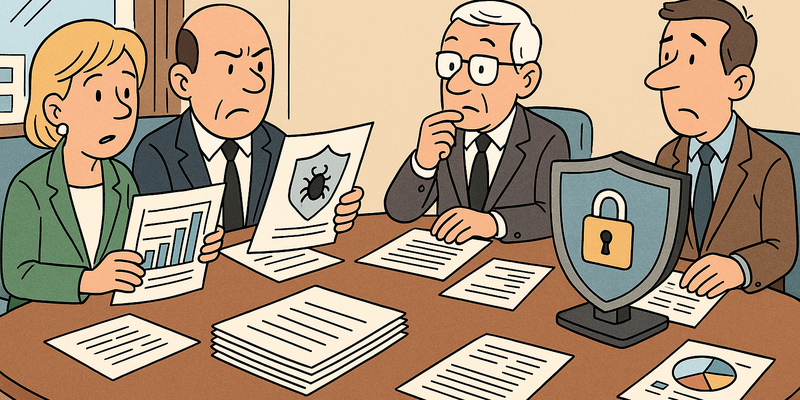
The CISO proudly presented the new security dashboard to the board. Twenty-seven charts. Colour codes. Trend lines. The number of blocked malware attempts (1.2 million last month!), the percentage of systems with the latest patches (87%!), the average time to fix a vulnerability (34 days!). The board members nodded politely. Afterwards the CEO asked the CFO in the corridor: "Are we safe now or not?" The CFO shrugged. "No idea. But apparently we're blocking a lot of malware."
This is the fundamental problem with security reporting to the board. Security professionals report what they measure. Board members want to know what it means. Those two things are rarely the same.
This chapter helps you bridge that gap – whether you are the CISO who must report, or the board member who must assess the report. The goal is simple: a security report that actually informs the board, rather than merely impressing it.
Why traditional security metrics fail
Most security metrics that appear in reports share a common problem: they tell the board how much work the security department does, but not how secure the organisation is. Those are two fundamentally different things.
Volume metrics are meaningless. "We blocked 1.2 million attacks last month" sounds impressive, but says nothing. Were those serious attacks or automated scans that any firewall would stop? Is 1.2 million a lot or a little for an organisation of this size? And if we blocked 1.2 million, how many got through?
Technical metrics are untranslatable. The percentage of systems on the latest patch level is relevant to the IT department, but a board member cannot base a risk decision on it. Is 87% good? Are the missing 13% on critical systems or on printers?
Activity metrics measure effort, not effect. The number of penetration tests conducted, the number of security awareness trainings completed, the number of firewall rules implemented – they are all measures of how much is being done, not how effective it is.
The test: If a metric does not lead to a decision, it does not belong in a board report. Every metric you present must answer: "Do we need to do something about this?" or "Are we on track?"
Operational metrics vs. board metrics
The distinction is essential. Operational metrics are for the security team: they guide daily decisions and priorities. Board metrics are for the board of directors: they inform strategic decisions about risk, investment, and direction.
| Characteristic | Operational metric | Board-level metric |
|---|---|---|
| Audience | Security team, IT department | Board of directors, management |
| Language | Technical, specific | Business-oriented, risk-focused |
| Frequency | Daily to weekly | Monthly to quarterly |
| Purpose | Adjusting operations | Informing decisions |
| Example | "Average patch time: 14 days" | "96% of our critical systems have been patched within the agreed timeframe" |
| Action | The team adjusts the patch schedule | The board decides whether the risk is acceptable |
The difference lies in the translation. An operational metric says: "This is what we see." A board-level metric says: "This is what it means for the organisation."
KRIs vs. KPIs
Two abbreviations that are often used interchangeably, but that are fundamentally different.
Key Risk Indicators (KRIs) are forward-looking signals. They warn that a risk is increasing before it manifests itself. Think of the oil pressure in an engine: when it drops, you know there is a problem coming before the engine seizes.
Key Performance Indicators (KPIs) measure how well your existing measures are performing. They look backwards: how quickly did we respond? What percentage of the target did we achieve?
| Type | Direction | Question it answers | Example |
|---|---|---|---|
| KRI | Forward-looking | "Is our risk increasing or decreasing?" | Percentage of critical systems past end-of-life |
| KPI | Backward-looking | "Are our measures performing as agreed?" | Percentage of incidents handled within the agreed timeframe |
A good board dashboard combines both: KRIs to know where you are heading, KPIs to know whether your measures are working.
Ten board-worthy security metrics
Below are ten metrics suitable for a board report. They are concrete, measurable, and translatable into business decisions. No organisation needs to use all ten – choose the five to seven that best fit your risk landscape.
1. Time to remediate critical vulnerabilities
What you measure: The median number of days between the publication of a critical vulnerability and the moment all affected systems are patched.
Why it matters: Attackers exploit known vulnerabilities often within days. The longer you wait, the larger the risk window.
Target: Critical: < 7 days. High: < 30 days.
Type: KPI
2. Percentage of systems with MFA
What you measure: The percentage of all user accounts and external access points protected with multi-factor authentication.
Why it matters: Stolen passwords are the most common attack vector. MFA blocks the vast majority of these attacks.
Target: 100% for external access and admin accounts. > 95% for all users.
Type: KPI
3. Endpoint security coverage
What you measure: The percentage of all endpoints (workstations, servers, mobile devices) with active and up-to-date security software (EDR).
Why it matters: Every unprotected endpoint is a potential beachhead for an attacker.
Target: > 98%.
Type: KPI
4. Mean time to detect (MTTD)
What you measure: The average time between when a security incident occurs and when it is detected.
Why it matters: Attackers who sit undetected in your network for weeks or months cause exponentially more damage. The median dwell time in ransomware attacks has fallen, but still stands at days to weeks.
Target: < 24 hours for critical incidents.
Type: KRI (a rising trend signals increasing risk)
5. Mean time to recover (MTTR)
What you measure: The average time between detecting an incident and full containment.
Why it matters: Rapid response limits the damage. The difference between an incident contained in hours and one that takes days can be millions of euros.
Target: < 4 hours for critical incidents.
Type: KPI
6. Supply chain risk score
What you measure: An aggregated risk assessment of your critical suppliers, based on their security maturity, incident history, and contractual arrangements.
Why it matters: NIS2 holds you responsible for security in your supply chain. A vulnerable supplier is your vulnerability.
Target: All critical suppliers score "sufficient" or higher.
Type: KRI
7. Phishing simulation success rate
What you measure: The percentage of employees who click on simulated phishing messages.
Why it matters: People are the first line of defence. This percentage indicates how effective your awareness programme is.
Target: < 5% click rate. Downward trend per quarter.
Type: KPI
8. Backup recovery success rate
What you measure: The percentage of successful restore tests of critical systems in the past quarter.
Why it matters: Backups that don't work are not backups. In ransomware situations, this is literally the difference between recovery and paying.
Target: 100% successful restore tests of critical systems.
Type: KPI
9. Compliance status of regulatory obligations
What you measure: An overview of compliance with relevant laws and regulations (NIS2, GDPR, sector-specific requirements) expressed as a percentage and open findings.
Why it matters: Non-compliance brings financial sanctions and director liability.
Target: 100% on mandatory requirements. No critical open findings.
Type: KPI
10. Percentage of end-of-life systems in production
What you measure: The percentage of systems in production running on software or hardware no longer supported by the manufacturer.
Why it matters: End-of-life systems no longer receive security updates. They are by definition vulnerable and represent a growing risk.
Target: < 2%. Downward trend. All exceptions registered with compensating measures.
Type: KRI
Linking metrics to business objectives
A metric without context is a number. A metric linked to a business objective is a steering tool. The table below shows how security metrics connect to what the board is actually concerned with.
| Business objective | Relevant metric | Connection |
|---|---|---|
| Continuity of service | MTTD, MTTR, backup recovery success rate | Fast detection and response limit downtime. Working backups guarantee recovery. |
| Maintaining customer trust | Phishing simulation success rate, MFA coverage | Fewer human errors and stronger authentication reduce the risk of a data breach that damages trust. |
| Compliance with laws and regulations | Compliance status, patch time for critical vulnerabilities | Direct relation to NIS2 obligations and GDPR requirements. Personal liability of directors. |
| Managing operational risk | End-of-life systems, supplier risk score | Forward-looking indicators that warn before a risk materialises. |
| Protection of intellectual property | Endpoint coverage, detection time | Undetected intrusions lead to data theft. Full endpoint coverage and fast detection limit exposure. |
| Reputation and brand value | All of the above | A serious security incident affects brand reputation. The metrics together paint a picture of the organisation's resilience. |
Good metrics also underpin your security budget. In the chapter on security budget and investment you can read how to use these figures to build a business case that convinces the board.
Dashboarding and visualisation
A good security dashboard for the board meets three principles: it is concise, visual, and action-oriented.
Concise. Maximum one A4 or a single screen. Five to seven metrics, no more. If it doesn't fit on one page, it is not a board dashboard but an operational report.
Visual. Use traffic-light colours (green, orange, red) for the current status. Use arrows or trend lines for the direction. A board member should be able to see in ten seconds: where are we, and are we heading in the right direction?
Action-oriented. Every metric scoring orange or red has an accompanying note of maximum two sentences: what is the problem, and what is the proposal?
Example dashboard layout
| Metric | Status | Trend | Notes |
|---|---|---|---|
| Patch time critical (median) | GREEN – 5 days | Stable | Within target of 7 days |
| MFA coverage | ORANGE – 91% | Rising | Legacy VPN migration in progress; expected 100% in Q3 |
| MTTD | GREEN – 18 hours | Declining | Improvement due to new SIEM platform |
| MTTR | GREEN – 3.5 hours | Stable | Within target |
| Phishing click rate | ORANGE – 7% | Declining | Declining, but above the 5% target. Extra campaign planned. |
| End-of-life systems | RED – 8% | Rising | Windows Server 2012 environment. Migration plan and budget submitted for approval. |
| Backup recovery | GREEN – 100% | Stable | All quarterly tests successful |
The source data for many of these metrics – detection times, incident volumes, trend analyses – comes from your logging and monitoring infrastructure. The chapter on logging, monitoring, and SIEM describes how to set up that technical foundation.
Golden rule for the dashboard: If everything is green, the discussion takes five minutes. Spend the available time on the orange and red items, where decisions are needed.
Reporting frequency and format
| Report type | Frequency | Content | Purpose |
|---|---|---|---|
| Board dashboard | Quarterly | The 5-7 core metrics with status, trend, and notes | Strategic insight and decision-making |
| Security update | Monthly | Brief summary of relevant incidents, ongoing projects, and changes in the threat landscape | Staying informed |
| Incident report | Ad hoc | Specific incident: what happened, what was the impact, what is the response, what lessons do we draw | Crisis management and learning |
| Annual security review | Annual | Review of the year, progress against strategy, risk assessment, budget, and plan for next year | Strategic planning and budgeting |
Format tips:
- Always start with the conclusion, not the background. Board members want to know first "how are we doing?" and then "why?"
- Use the language of the business, not the language of security. Say "we cannot serve our customers for three working days" instead of "the RTO of the ERP system is 72 hours"
- Add a concrete proposal to every red metric: what is needed (budget, decision, priority) to move from red to green?
- Keep an appendix with technical details for board members who ask follow-up questions – but don't force anyone to read it
Telling the security story
Numbers alone don't convince. Board members make decisions based on stories that numbers support. The security story you tell must contain three elements.
Context. What has changed in the threat landscape that is relevant to your organisation? Not the 10,000 new vulnerabilities from last month, but the one that affects your sector.
Performance. How are our measures performing against what we agreed? Where are we on track, where not?
Choice. What are we asking of the board? A budget, a priority decision, a risk acceptance? Make it concrete and make it decidable.
An effective security report to the board takes a maximum of fifteen minutes. Five minutes for the dashboard (all green = move quickly), five minutes for the story (context, performance, choice), and five minutes for questions.
Tip for CISOs: Practise your presentation on someone outside the security department. If your neighbour understands it, the board will understand it too. If you catch yourself explaining abbreviations, you need to simplify your story.
Do this this month
Remember: The purpose of security reporting is not to prove that the security team works hard. The purpose is to enable the board to make informed decisions about risks that affect the organisation. Measure less, understand better.
Finally: the circle is complete
With this chapter you close the executives section. In ten chapters you have covered the complete arc: from the board's responsibility for cybersecurity where it began, via risk management, laws and regulations, privacy, personal liability, budgeting, incident response, supplier risk, and cyber insurance, through to the metrics that make it all measurable and manageable.
That is no coincidence. Cybersecurity for executives is not a loose collection of topics – it is a coherent whole. Governance gives direction. Risk analysis sets priorities. Compliance sets the framework. Budget makes it possible. Incident response catches it when things go wrong. And metrics tell you whether it is working.
You don't have to be a technical expert to make your organisation safer. You need to ask the right questions, mandate the right people, and have the discipline to keep cybersecurity structurally on the board agenda. The ten chapters in this section give you the vocabulary, the frameworks, and the concrete handles for that.
The digital threats will continue to change. But a board member who understands what is at stake, who invests in the right measures, and who regularly checks the thermometer, is not an easy target. And that is precisely what it is all about.
Further reading in the knowledge base
These articles in the portal give you more background and practical context:
- Compliance — following rules without losing your mind
- Incident Response — when things go wrong
- Supply chain attacks — the weakest link problem
- "Are we a target?"
- Ransomware — digital kidnapping for beginners and advanced users
You need an account to access the knowledge base. Log in or register.
Related security measures
These articles offer additional context and depth:


