
Vulnerability Management & Patch Policy
Privileges Down, Control Up
Attack paths shrink once privileges, segments, and management channels are consistently configured.
For Vulnerability Management & Patch Policy the foundation remains the same: less implicit trust and more visibility into anomalous behavior.
This limits not only the likelihood of incidents, but especially the scope and duration when something goes wrong.
Immediate measures (15 minutes)
Why this matters
The core of Vulnerability Management & Patch Policy is risk reduction in practice. Technical context supports the choice of measures, but implementation and assurance are central.
The Vulnerability Management Process
Vulnerability management is not running a scan and emailing a report. It is a cyclical process with five phases that repeat endlessly, like a washing machine that never stops:
| Phase | Activity | Output | Frequency |
|---|---|---|---|
| 1. Discover | Asset inventory + vulnerability scanning | List of vulnerabilities per asset | Continuous / weekly |
| 2. Prioritize | Risk assessment based on CVSS, EPSS, KEV, business context | Prioritized remediation list | After each scan |
| 3. Remediate | Patch, configure, mitigate | Patched system or compensating control | Per SLA by severity |
| 4. Verify | Rescan to confirm the fix works | Proof of remediation | After each remediation action |
| 5. Report | KPI reporting to management and compliance | Dashboard, metrics, trends | Monthly / quarterly |
The process starts with something many organizations lack: a complete asset inventory. You cannot find vulnerabilities in systems you don't know exist. Shadow IT – that test server a developer set up and forgot about, that old web application that was "temporary" but has been running for three years – those are the systems that remain unpatched the longest, because they are not in any register.
Rule number one: you cannot protect what you don't know about.
Scan Tools
The market for vulnerability scanners is mature. There is an option for every budget and every scale. The choice depends on three factors: what you scan (network, web, containers), how much you want to pay, and how many false positives you are willing to accept.
| Tool | Type | License | Strength | Weakness | Use case |
|---|---|---|---|---|---|
| Nessus Professional | Network, host, compliance | Commercial (~$3,500/year) | Extensive plugin library, compliance checks | Expensive, outdated UI | Enterprise network scan |
| OpenVAS / Greenbone | Network, host | Open source (Community) / Commercial (Enterprise) | Free, good coverage | Slower updates, complex setup | SMB, budget-conscious |
| Qualys VMDR | Network, cloud, container | SaaS (per asset) | Cloud-native, agent-based, realtime | Expensive at scale | Large enterprise, multi-cloud |
| Nuclei | Web, network, misconfiguration | Open source | Fast, community templates, CI/CD integration | Requires expertise, less compliance | Security teams, bug bounty, DevSecOps |
| Trivy | Container, IaC, SBOM | Open source | Container-native, SBOM, fast scan | Limited to software/configuration | DevOps, container pipelines |
Example: OpenVAS scan configuration
# Install OpenVAS (Kali Linux)
sudo apt install gvm -y
sudo gvm-setup

# After setup: web interface at https://127.0.0.1:9392
# Login with generated credentials

# Start CLI scan with gvm-cli
gvm-cli --gmp-username admin --gmp-password <password> \
  socket --socketpath /run/gvmd/gvmd.sock \
  --xml '<create_target>
    <name>Internal Network</name>
    <hosts>10.0.10.0/24</hosts>
  </create_target>'
Example: Nuclei CLI
# Installation
go install -v github.com/projectdiscovery/nuclei/v3/cmd/nuclei@latest

# Basic scan with all templates
nuclei -u https://target.example.com -as

# Scan with specific severity
nuclei -u https://target.example.com -severity critical,high

# Scan with specific tags
nuclei -u https://target.example.com -tags cve,misconfig

# Network scan with CIDR
echo "10.0.10.0/24" | nuclei -t network/

# Output to JSON for processing
nuclei -u https://target.example.com -j -o resultaten.json

# Integration in CI/CD pipeline
nuclei -l targets.txt -severity critical,high \
  -markdown-export rapport/ \
  -silent
Example: Trivy container scan
# Scan container image
trivy image nginx:latest

# Critical and high only
trivy image --severity CRITICAL,HIGH nginx:latest

# Scan filesystem (IaC misconfigs)
trivy fs --scanners vuln,misconfig /pad/naar/project

# Generate SBOM
trivy image --format cyclonedx nginx:latest > sbom.json
The choice of scan tool is less important than the discipline to use it. A free OpenVAS scan that runs weekly is infinitely more valuable than a Qualys license costing a hundred thousand euros that gathers dust.
Prioritizing: CVSS vs EPSS vs KEV
This is where it gets interesting. Because after a scan you have a list. And that list is long. Hundreds, sometimes thousands of vulnerabilities. And now you need to decide: what do you patch first?
Why CVSS alone is not enough
CVSS – the Common Vulnerability Scoring System – gives every vulnerability a score from 0 to 10. A CVSS of 9.8 sounds alarming, and sometimes it is. But CVSS measures potential impact, not likelihood of exploitation. A vulnerability with CVSS 9.8 in a component that is only reachable via an internal network behind three firewalls and a VPN, is a different risk than a CVSS 7.5 in an internet-facing web server.
The result: if you only prioritize by CVSS, you patch everything with a high score, regardless of whether an exploit actually exists in the wild. You are busy. You feel productive. But you may be patching the wrong things.
EPSS – Exploit Prediction Scoring System
EPSS, developed by FIRST.org, answers a different question: how likely is it that this vulnerability will be actively exploited in the next 30 days? The model uses machine learning based on historical exploit data, characteristics of the CVE, and signals from the wild (exploit code available, mentions on forums, etc.).
EPSS scores from 0 to 1 (0% to 100% chance of exploitation). A CVE with CVSS 9.8 but EPSS 0.02 is probably theoretically dangerous but not yet exploited in practice. A CVE with CVSS 7.0 but EPSS 0.95 is being actively used by attackers right now.
# Query EPSS data via API
curl -s "https://api.first.org/data/v1/epss?cve=CVE-2024-1709" | jq .

# Example output:
# {
#   "data": [{
#     "cve": "CVE-2024-1709",
#     "epss": 0.97431,
#     "percentile": 0.99961
#   }]
# }
CISA KEV – Known Exploited Vulnerabilities
The CISA KEV catalog is the most direct indicator: these vulnerabilities are proven to be actively exploited in the wild. No prediction, no score – fact. If a CVE is on the KEV list, it is no longer a theoretical risk. Someone is using it. Now. Against organizations like yours.
The KEV catalog contains more than 1,100 vulnerabilities at the time of writing. CISA requires U.S. government agencies to patch KEV items within the stated deadline. That is a good policy to adopt, even if you are not a U.S. government agency.
# Fetch CISA KEV catalog
curl -s "https://www.cisa.gov/sites/default/files/feeds/known_exploited_vulnerabilities.json" \
  | jq '.vulnerabilities | length'

# Search for specific CVE
curl -s "https://www.cisa.gov/sites/default/files/feeds/known_exploited_vulnerabilities.json" \
  | jq '.vulnerabilities[] | select(.cveID == "CVE-2023-46805")'
Decision matrix
Combine the three sources for a rational prioritization:
| CVSS | EPSS | On KEV? | Internet-facing? | Action |
|---|---|---|---|---|
| 9.0+ | >0.7 | Yes | Yes | Patch TODAY – drop everything |
| 9.0+ | >0.7 | Yes | No | Patch within 48 hours |
| 7.0+ | >0.4 | No | Yes | Patch this week |
| 7.0+ | <0.4 | No | No | Patch this month |
| 4.0-6.9 | <0.2 | No | No | Patch within quarter |
| <4.0 | <0.1 | No | No | Accept risk (document) |
The "Internet-facing" column is crucial. A CVSS 7.0 on a publicly reachable web server is a greater risk than a CVSS 9.0 on an internal application server that is only reachable via a jump host. Context is everything.
Patch Policy
A patch policy without enforcement is a wish list. Here is a template that works – not because it is perfect, but because it is enforceable:
Patch policy template
| Category | Definition | SLA | Responsible | Exception process |
|---|---|---|---|---|
| Critical | CVSS >= 9.0 OR on CISA KEV OR active exploitation | 48 hours (internet-facing), 7 days (internal) | System administration + CISO approval for deferral | Written approval by CISO, compensating control required |
| High | CVSS 7.0-8.9, EPSS > 0.4 | 14 days | System administration | Approval by team lead, maximum 30 days deferral |
| Medium | CVSS 4.0-6.9 | 30 days | System administration | Documentation in ticket system |
| Low | CVSS < 4.0, no known exploit | 90 days | System administration | May be combined with regular maintenance |
Exception process
Sometimes you cannot patch. The application is end-of-life. The vendor has no patch. The patch breaks functionality. That happens. The point is not that exceptions should not exist – the point is that they must be documented, approved, and temporary.
An exception contains at minimum: - CVE number and description of the vulnerability - Reason why it cannot be patched - Compensating control that mitigates the risk (see section 18.5) - Owner who is responsible for the exception - Expiration date – exceptions are not permanent. Maximum 90 days, then reassessment. - Signature of the risk owner (not the system administrator, but the business owner)
That last point is important. When the business owner must personally sign off on the risk of an unpatched critical vulnerability, you will be surprised how quickly that "impossible" patch suddenly becomes possible.
Compensating Controls
When patching is not possible – and sometimes it truly is not – there are compensating controls that reduce the risk without fixing the vulnerability:
Virtual patching (WAF rules)
A Web Application Firewall can block traffic that contains known exploit patterns, without modifying the underlying application:
# ModSecurity rule for CVE-2021-44228 (Log4Shell)
SecRule REQUEST_LINE|REQUEST_HEADERS|REQUEST_BODY "@rx \$\{(?:j(?:ndi|ava)|lower|upper|env|sys|date|base64)" \
    "id:1000,\
    phase:2,\
    deny,\
    status:403,\
    log,\
    msg:'Potential Log4Shell exploitation attempt',\
    tag:'CVE-2021-44228'"
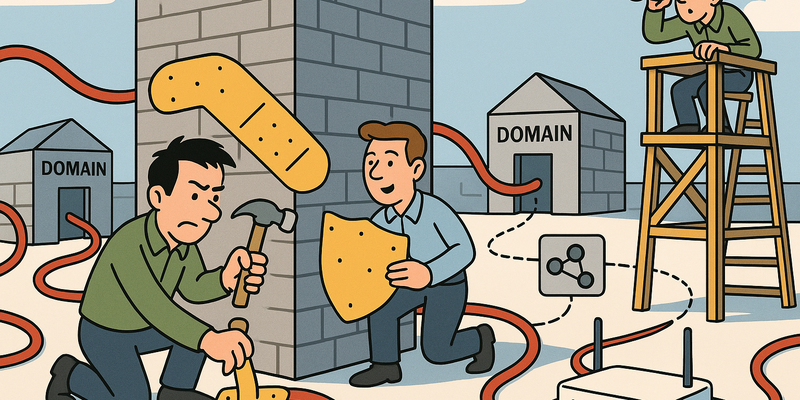
Virtual patching is an emergency bandage, not a solution. It protects against known exploit patterns, but not against variants. Use it to buy time, not as a replacement for a real patch.
Network segmentation
Isolate vulnerable systems. If you cannot patch a server, then limit who can access it:
- Move to an isolated VLAN (see chapter 15)
- Only allow traffic from specific sources on specific ports
- Block outbound traffic except what is strictly necessary
- Monitor all traffic to and from the vulnerable system
Monitoring
What you cannot patch, you must watch like a hawk:
- IDS/IPS rules specific to the vulnerability
- Increased logging on the vulnerable system
- Alerting on exploit indicators
- Regular manual inspection
Automation
Manual patching does not scale. With ten servers you can do it manually. With a hundred it becomes impractical. With a thousand it is impossible. Automation is not a luxury – it is a requirement.
Windows: WSUS / Intune
# WSUS -- Windows Server Update Services
# Configure via Group Policy:
# Computer Configuration > Administrative Templates > Windows Components > Windows Update
# - Specify intranet Microsoft update service location: http://wsus-server:8530
# - Configure Automatic Updates: Auto download and schedule the install

# Intune -- Modern management
# Endpoint Manager > Devices > Update rings for Windows 10 and later
# - Quality update deferral: 0 days (critical), 7 days (other)
# - Feature update deferral: 30 days
# - Compliance policy: non-compliant after 3 days overdue
Linux: unattended-upgrades (Debian/Ubuntu)
# Installation
sudo apt install unattended-upgrades apt-listchanges -y

# Configuration: /etc/apt/apt.conf.d/50unattended-upgrades
Unattended-Upgrade::Allowed-Origins {
    "${distro_id}:${distro_codename}-security";
};
Unattended-Upgrade::Remove-Unused-Kernel-Packages "true";
Unattended-Upgrade::Remove-Unused-Dependencies "true";
Unattended-Upgrade::Automatic-Reboot "true";
Unattended-Upgrade::Automatic-Reboot-Time "03:00";
Unattended-Upgrade::Mail "beheer@example.com";

# Activate
sudo dpkg-reconfigure -plow unattended-upgrades

# Test
sudo unattended-upgrade --dry-run --debug
Ansible: automated patching
# patch-all.yml -- Ansible playbook for automated patching
---
- name: Patch Linux servers
  hosts: linux_servers
  become: true
  serial: "25%"              # Patch 25% at a time (rolling update)
  max_fail_percentage: 10    # Stop if >10% fails

  pre_tasks:
    - name: Check if system is reachable
      ping:

    - name: Create snapshot (VMware)
      community.vmware.vmware_guest_snapshot:
        hostname: "{{ vcenter_host }}"
        name: "{{ inventory_hostname }}"
        snapshot_name: "pre-patch-{{ ansible_date_time.date }}"
        state: present
      delegate_to: localhost
      when: create_snapshot | default(true)

  tasks:
    - name: Update package cache
      apt:
        update_cache: yes
        cache_valid_time: 3600
      when: ansible_os_family == "Debian"

    - name: Install security updates (Debian/Ubuntu)
      apt:
        upgrade: safe
        update_cache: yes
      register: apt_result
      when: ansible_os_family == "Debian"

    - name: Install security updates (RHEL/CentOS)
      yum:
        name: '*'
        state: latest
        security: yes
      register: yum_result
      when: ansible_os_family == "RedHat"

    - name: Check if reboot is needed
      stat:
        path: /var/run/reboot-required
      register: reboot_required
      when: ansible_os_family == "Debian"

    - name: Reboot if needed
      reboot:
        reboot_timeout: 300
        msg: "Reboot after patching"
      when:
        - reboot_required.stat.exists | default(false)
        - allow_reboot | default(true)

  post_tasks:
    - name: Verify services
      service:
        name: "{{ item }}"
        state: started
      loop: "{{ critical_services | default([]) }}"

    - name: Report result
      debug:
        msg: "Patching {{ 'succeeded' if not apt_result.changed and not yum_result.changed else 'completed with changes' }}"
# Execute
ansible-playbook patch-all.yml -i inventory/productie --check # Dry run
ansible-playbook patch-all.yml -i inventory/productie # Actual patching
# Critical security updates only
ansible-playbook patch-all.yml -i inventory/productie -e "security_only=true"The serial: "25%" parameter is crucial: it prevents you from
patching all servers at once and bringing down your entire environment if something
goes wrong. Patch in waves. Check after each wave. Only proceed when everything
works.
Measuring and Reporting
What you don't measure, you can't improve. And what you don't report, doesn't get budget. Here are the KPIs that matter:
| KPI | Definition | Target | Measurement |
|---|---|---|---|
| Mean Time to Patch (MTTP) | Average time between patch publication and installation | Critical: <48h, High: <14d | Per severity category |
| Patch compliance rate | % of systems that are up-to-date with patches | >95% | Per OS, per environment |
| Open vulnerabilities | Number of unpatched vulnerabilities per severity | Critical: 0, High: <10 | Trending over time |
| Scan coverage | % of assets that are regularly scanned | >98% | Per network segment |
| Exception count | Number of active patch exceptions | Declining | Per quarter |
| Overdue patches | Patches that fall outside SLA | <5% | Per severity |
| Rescan rate | % of remediated vulns that have been verified | 100% | Per remediation action |
Dashboard example
VULNERABILITY MANAGEMENT DASHBOARD -- Q1 2026

Scan Coverage:     ████████████████████░  96% (target: 98%)
Patch Compliance:  ██████████████████░░░  89% (target: 95%)

Open Vulnerabilities:
  Critical:  2   ▼ (was 7)    SLA: 0 overdue
  High:     14   ▼ (was 23)   SLA: 3 overdue
  Medium:   67   ► (was 65)   SLA: 8 overdue
  Low:     234   ► (was 241)  SLA: within target

MTTP (Mean Time to Patch):
  Critical:  1.8 days   ✓ (target: <2)
  High:     11.2 days   ✓ (target: <14)
  Medium:   24.5 days   ✓ (target: <30)
  Low:      67.0 days   ✓ (target: <90)

Active Exceptions: 4 (was 6)
  - CVE-2023-xxxxx: Legacy ERP, expires 15-Apr
  - CVE-2024-xxxxx: SCADA system, expires 01-May
  - CVE-2024-xxxxx: Vendor patch pending, expires 28-Mar
  - CVE-2024-xxxxx: Test environment, expires 30-Apr
The trend is more important than the absolute number. An organization that goes from 60% to 85% compliance is doing better than an organization that has been at 90% for years and is not improving. Report trends, not snapshots.
And report in management's language. Not "we patched 47 critical CVEs." But: "we remediated 47 vulnerabilities that are actively used by ransomware groups to break into organizations like ours." That is the same information. One gets a nod. The other gets budget.
Summary
Vulnerability management is not a project with an end date. It is a process that runs as long as you have systems:
- Discover – you cannot protect what you don't know about. Start with a complete asset inventory and scan continuously
- Prioritize with context – CVSS alone is not enough. Combine CVSS, EPSS and the CISA KEV catalog with business context (internet-facing vs. internal)
- Patch policy with SLAs – critical within 48 hours, high within 14 days. No exceptions without written approval and compensating control
- Compensate what you cannot patch – virtual patching, segmentation and monitoring buy time, but are no replacement
- Automate – manual patching does not scale. Ansible, WSUS, Intune, unattended-upgrades: choose your weapon
- Measure and report – Mean Time to Patch, compliance rate, open vulnerabilities. Report trends in management's language
- Verify – a patch that has not been verified is not a patch. Rescan after every remediation
The Equifax breach cost the company 1.4 billion dollars. The patch that would have prevented it was free and took five minutes to install. Vulnerability management is the cheapest security program that exists. The only thing it costs is discipline.
Previous: Chapter 17 – Backup & Disaster Recovery Next: Chapter 19 – Zero Trust Architecture
Further reading in the knowledge base
These articles in the portal provide more background and practical context:
- Firewalls — the bouncer that doesn't stop everything
- Network segmentation — why you shouldn't connect everything to everything
- DNS — the phone book that holds the internet together
- Logging and monitoring — the security cameras of your IT environment
- Zero Trust — trust no one, not even yourself
You need an account to access the knowledge base. Log in or register.
Related security measures
These articles provide additional context and depth:


