
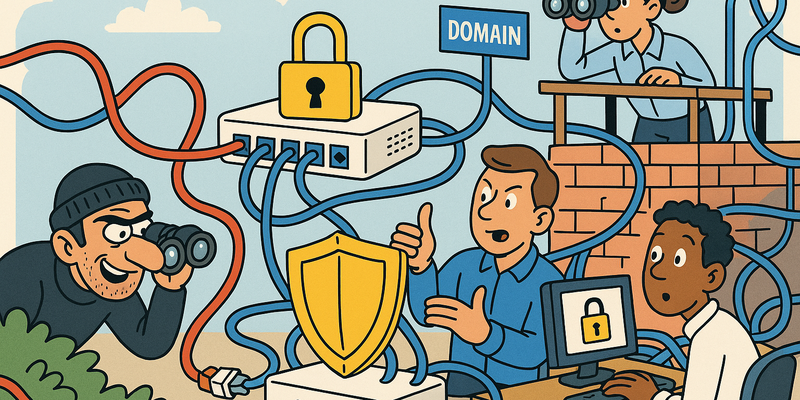
Security Awareness & Social Engineering
Less Trust, Less Damage
In network security, structure wins over improvisation: clear paths, fewer privileges and explicit trust boundaries.
For Security Awareness & Social Engineering the basis remains the same: less implicit trust and more visibility into anomalous behavior.
This way you limit not only the chance of incidents, but especially the scope and duration when something goes wrong.
Immediate measures (15 minutes)
Why this matters
The core of Security Awareness & Social Engineering is risk reduction in practice. Technical context supports the choice of measures, but implementation and assurance are central.
Social Engineering Risk Vectors
Social engineering has countless variants, but they all share the same principle: abuse of human trust.
| Vector | Medium | Description | Example |
|---|---|---|---|
| Phishing | Mass deceptive emails with malicious links or attachments | "Your mailbox is full, click here to clean it up" | |
| Spear phishing | Targeted phishing at a specific person with personalized content | Email to CFO from CEO about urgent payment | |
| Whaling | Spear phishing specifically targeting executives/board members | CEO fraud, BEC (Business Email Compromise) | |
| Vishing | Phone | Voice phishing: calling and impersonating helpdesk, bank or supplier | "This is the IT department, we need to reset your password" |
| Smishing | SMS | Phishing via SMS messages | "Your package could not be delivered, follow this link" |
| Pretexting | Various | Building a credible story to extract information | Pretending to be an auditor, supplier or new employee |
| Baiting | Physical | Leaving infected USB sticks or media behind | USB stick labeled "Salary Overview Q4" in a parking lot |
| Tailgating | Physical | Following someone through a secured door | Carrying boxes and asking someone to hold the door |
| Quid pro quo | Various | Offering something in exchange for information or access | "Free IT support" in exchange for login credentials |
| Watering hole | Web | Compromising a website that the target regularly visits | Malware on the website of a trade association |
Phishing Simulations
Phishing simulations are the most effective way to measure and improve an organization's resilience. Not by punishing people who click, but by letting them experience how convincing an attack can be.
GoPhish campaign setup
# Install GoPhish
wget https://github.com/gophish/gophish/releases/latest/download/gophish-v0.12.1-linux-64bit.zip
unzip gophish-v0.12.1-linux-64bit.zip -d /opt/gophish
chmod +x /opt/gophish/gophish

# Adjust configuration
# /opt/gophish/config.json
{
  "admin_server": {
    "listen_url": "127.0.0.1:3333",
    "use_tls": true,
    "cert_path": "gophish_admin.crt",
    "key_path": "gophish_admin.key"
  },
  "phish_server": {
    "listen_url": "0.0.0.0:443",
    "use_tls": true,
    "cert_path": "/etc/letsencrypt/live/phish.example.com/fullchain.pem",
    "key_path": "/etc/letsencrypt/live/phish.example.com/privkey.pem"
  }
}

# Start
/opt/gophish/gophish &
Campaign design
An effective phishing simulation uses realistic scenarios:
- Password reset: "Your password expires in 24 hours"
- Shared document: "Jan has shared a document with you"
- Salary notification: "Your pay slip for February is ready"
- IT notification: "Mandatory security update required"
Escalate the difficulty level over time. Start with generic emails, work toward personalized spear phishing.
Metrics that matter
| Metric | Description | Target |
|---|---|---|
| Click rate | Percentage that clicks the link | < 5% after 12 months |
| Report rate | Percentage that reports the email as phishing | > 60% |
| Credential submission rate | Percentage that actually submits credentials | < 2% |
| Time-to-click | Average time between receipt and click | Increasing (people think before acting) |
| Time-to-report | Average time between receipt and report | Decreasing (people report faster) |
The report rate is more important than the click rate. An organization where 3% clicks and 70% reports is safer than an organization where 1% clicks and 5% reports.
Awareness Training Program
What does not work
- Annual mandatory 90-minute PowerPoint presentation
- E-learning with click-through slides and a multiple-choice test at the end
- Posters in the cafeteria that become wallpaper after two weeks
- One-time training during onboarding that is never repeated
- Training that blames and scares employees
What does work
| Element | Frequency | Format | Why it works |
|---|---|---|---|
| Phishing simulations | Monthly | Practice | Learning by experience, not by theory |
| Micro-learning | Weekly | 3-5 minute video/interactive | Fits into daily work |
| Incident debriefing | After each incident | Presentation/discussion | Real examples from your own organization |
| Security newsletter | Monthly | Current threats and tips | |
| Lunch & learn | Quarterly | Informal session | Low barrier, room for questions |
| Red team demos | Biannually | Live demonstration | Confronting and unforgettable |
Effective topics
Training must be concrete. "Be careful with emails" is not training. This is:
- How to recognize a phishing URL (check the domain, hover before click)
- How caller ID spoofing works (you cannot trust the number)
- What to do if you have clicked (report, do not hide)
- MFA fatigue: why you should not tap "Approve" when you have not requested anything
- QR code phishing (quishing): why you should not scan random QR codes
Building a Reporting Culture
The most important goal of an awareness program is not preventing every click. It is creating a culture where people report that they have seen something suspicious or -- and this is crucial -- that they have clicked on something.
Principles
- No punishment for clicking -- never. The moment someone is punished for reporting a click, the entire organization stops reporting
- Reward reports -- public recognition, small rewards, gamification
- Fast feedback -- confirm within one hour that the report has been received and is being investigated
- Transparency -- share the results of phishing simulations organization-wide
Phishing Report Button (Outlook)
<!-- Outlook Add-in manifest for phishing report button -->
<!-- This configures a "Report Phishing" button in the Outlook toolbar -->

<!-- Mail flow rule: forward reported emails to SOC -->
<!-- Exchange Online PowerShell: -->
# Create a transport rule that forwards reported phishing to the SOC
New-TransportRule -Name "Phishing Reports naar SOC" `
-SentTo "phishing@example.com" `
-BlindCopyTo "soc@example.com" `
-SetHeaderName "X-Phishing-Report" `
-SetHeaderValue "user-reported"
# Create a shared mailbox for phishing reports
New-Mailbox -Name "Phishing Reports" `
-Alias "phishing" `
-Shared `
-PrimarySmtpAddress "phishing@example.com"
# Grant the SOC team access
Add-MailboxPermission -Identity "phishing@example.com" `
-User "soc-team@example.com" `
-AccessRights FullAccessAutomated analysis of reported emails
# Simple triage: check sender domain, links and attachments
# Script for the SOC to analyze reported phishing emails

#!/bin/bash
MAIL_FILE="$1"

echo "=== Phishing Mail Analysis ==="
echo ""

# Sender headers
echo "[*] Sender information:"
grep -i "^from:\|^reply-to:\|^return-path:" "$MAIL_FILE"

# SPF/DKIM/DMARC results
echo ""
echo "[*] Authentication results:"
grep -i "authentication-results\|dkim-signature\|received-spf" "$MAIL_FILE"

# Extract URLs
echo ""
echo "[*] Found URLs:"
grep -oP 'https?://[^\s"<>]+' "$MAIL_FILE" | sort -u

# Attachments
echo ""
echo "[*] Attachments:"
grep -i "content-disposition: attachment" "$MAIL_FILE"
Vishing & Pretexting
Vishing -- voice phishing -- is harder to detect than email phishing. There is no URL to analyze, no header to check. There is only a voice that sounds like someone you know, or should know.
Commonly used pretexts
| Pretext | Target | Goal |
|---|---|---|
| "Helpdesk - password reset" | All employees | Credential harvesting |
| "IT audit - compliance check" | System administrators | System information gathering |
| "New supplier - IBAN change" | Financial administration | Payment fraud |
| "CEO - urgent wire transfer" | CFO / financial employee | CEO fraud |
| "Recruiter - vacancy" | HR | Malware via fake resume |
Caller ID spoofing
Caller ID is not an authentication mechanism. It is trivial to spoof with VoIP services and SIP trunks. A phone number that appears on the screen proves nothing about the identity of the caller.
Defense against vishing
- Callback procedure: for sensitive requests always call back on a known number (not the number the caller provides)
- Verification questions: ask questions that only an internal employee can answer
- No passwords by phone: never, under any circumstances, not even "to verify"
- Two-person principle: sensitive actions (IBAN changes, large wire transfers) require approval from two people via two channels
- Training: let employees experience vishing via simulated attacks
Physical Social Engineering
The most underestimated attack vector. A badge, a reflective vest and a clipboard open more doors than any exploit.
Risk scenarios
| Scenario | Method | Defense |
|---|---|---|
| Tailgating | Following with boxes in arms | Mantraps, badge-per-person culture |
| Impersonation | Pretending to be a technician/auditor/supplier | Visitor registration, escort requirement |
| Dumpster diving | Searching waste for useful information | Cross-cut shredders, clean desk policy |
| Shoulder surfing | Watching someone enter passwords | Privacy screens, awareness |
| Baiting | Leaving USB sticks behind | USB blocking, awareness training |
Visitor policy
A proper visitor policy contains at minimum:
- Pre-registration: visitors are registered in advance by the host
- Identification: check ID at the reception
- Visitor badge: visibly worn, visually different from employee badge
- Escort requirement: visitors are always accompanied, no unescorted access
- Registration: who, when, with whom, departure time
- Badge return: upon departure, with registration of return time
Security Champions & Culture Change
The ultimate goal of security awareness is not compliance -- it is culture change. The difference: compliance means people do the right thing because they have to. Culture means people do the right thing because they understand it.
From compliance to culture
| Compliance-driven | Culture-driven |
|---|---|
| "We have to do this training because of the auditor" | "We want to understand how attacks work" |
| Checking off annual e-learning | Continuous micro-learning and simulations |
| Punishing mistakes | Rewarding reports |
| Security belongs to the IT department | Security belongs to everyone |
| Policy that nobody reads | Behavior that everyone exhibits |
Security Champions program
Security Champions are employees from non-IT departments who serve as points of contact for security within their team.
- Selection: volunteers, not assigned (intrinsic motivation)
- Training: monthly session with the security team, current threats
- Role: first point of contact for questions, flags risks, spreads knowledge
- Recognition: visible role, management support, small incentives
- Network: Champions know each other, share experiences
Gamification and CTFs
- Internal CTFs: Capture The Flag events for all employees, not just IT
- Phishing leaderboard: which department has the highest report rate
- Internal bug bounty: reward employees who report security issues (unlocked screen, open server room door, sensitive documents in the printer)
- Security quiz: monthly quiz with small prizes
- Badges/points: digital badges for completed training and reported incidents
Metrics for culture change
| Metric | Measurement method | Target |
|---|---|---|
| Phishing report rate | GoPhish reporting | > 70% |
| Average time-to-report | GoPhish/mailbox analysis | < 15 minutes |
| Number of spontaneous reports | Ticket system | Increasing per quarter |
| Security Champion participation | Attendance registration | > 80% per session |
| Employee satisfaction with training | Post-training survey | > 4/5 |
Kevin Mitnick passed away in July 2023 at the age of 59. In the last decades of his life he was a respected security consultant who helped companies protect themselves against exactly the techniques he had once used. His favorite demonstration: he called the IT helpdesk of the company that had hired him, pretended to be an employee, and had a password reset within five minutes. Live, on stage, while the audience laughed uncomfortably.
The uncomfortable truth is that social engineering does not become better defended as technology improves. On the contrary. The more complex the IT environment, the easier it is to come up with a credible pretext. "I'm calling from the cloud migration team, we need to verify your Azure credentials for the tenant switch." Try distinguishing that from a legitimate request when your organization is actually in the middle of a cloud migration.
The only thing that scales against social engineering is culture. Not a culture of distrust -- that makes an organization unworkable. But a culture of healthy skepticism. A culture where it is normal to call back. Where it is normal to say: "I need to verify this." Where it is normal to report a phishing email, even -- especially -- if you have clicked on it.
You do not build that culture with an annual PowerPoint. You build it by doing a little better every day. By practicing. By simulating. By rewarding. By not punishing. It is not glamorous. It does not produce nice dashboards. But it is the difference between an organization that is resilient and an organization that waits until something goes wrong.
And things will go wrong. Sooner or later things always go wrong. The only question is: does someone report it within five minutes, or do you discover it after eighteen months?
Summary
Security awareness and protection against social engineering cannot be solved technically -- they require a human defense. Phishing simulations with tools like GoPhish are the most effective way to measure resilience, where the report rate (target >70%) is more important than the click rate. Training must be continuous: monthly micro-learning, quarterly lunch-and-learns, live red team demonstrations and incident debriefings after real events. You build a reporting culture by rewarding reports and never punishing, with a low-barrier phishing report button and fast feedback from the SOC. Defense against vishing requires callback procedures on known numbers and the two-person principle for sensitive actions. Physical social engineering -- tailgating, impersonation, dumpster diving -- requires a visitor policy with escort requirements and employees trained to challenge visitors. Security Champions from non-IT departments serve as points of contact and anchor security awareness in daily practice. Gamification through internal CTFs, phishing leaderboards and bug bounties makes security visible and rewarding. The goal is not compliance but culture change: an organization where everyone understands what is at stake and acts on that understanding.
Further reading in the knowledge base
These articles in the portal give you more background and practical context:
- Firewalls -- the bouncer that does not stop everything
- Network segmentation -- why you should not connect everything to everything
- DNS -- the phone book that holds the internet together
- Logging and monitoring -- the security cameras of your IT environment
- Zero Trust -- trust nobody, not even yourself
You need an account to access the knowledge base. Log in or register.
Related security measures
These articles provide additional context and depth:


